How to Get Minecraft on Windows 11
This post shows you how to download and install Minecraft Bedrock (Minecraft for Windows 10) and Minecraft Java Edition on Windows 11.
Raj Kumar
Minecraft is one of the greatest video games of all time. Developed by Mojang and released in 2011, Minecraft is an open-world sandbox game available for a wide range of PC, mobile, and console platforms. Selling more than 238 million copies worldwide and over 126 million people playing it monthly, making it one of the best-selling and most popular games of all time.
Microsoft bought Minecraft and its parent company Mojang Studios for $2.5 billion in 2014. Ever since then, Microsoft has been releasing various Windows-compatible editions of the game. One such edition is ‘Minecraft for Windows 10′ which is specially designed for Windows 10 PCs.
Minecraft for Windows 10 is a Bedrock edition that allows cross-platform play across devices such as Xbox One, iOS and Android phones, Nintendo Switch, and PlayStation. Minecraft: Windows 10 Edition is also available for the new Windows 11 PCs and it works well on the latest OS. This article will demonstrate how to download and install Minecraft in Windows 11.
Which Minecraft Edition to Get?
There are two major versions of Minecraft: Bedrock Edition and Java Edition. And there is a multitude of differences between the two editions.
Java is the oldest, original edition of the game which is only available on computers (namely Windows, macOS, and Linux). Java Edition only allows cross-play with computers, meaning you can only play with other ‘Java’ players on Windows, Linux, or Apple operating system. It cannot be played with other players on consoles, mobile devices, and other devices. Java Edition has better graphics, more servers, and limitless modding capabilities.
Minecraft for Windows 10 (commonly known as Bedrock Edition) on the other hand features cross-platform play with any device running Minecraft including, Windows, Xbox One, iOS and Android phones, Nintendo Switch, and PlayStation (except Linux and Mac which only have Java Edition). Bedrock Edition has better performance and faster load times.
Also, You cannot cross-play between editions. Java players can only play with other Java players and Bedrock Players can only play with other Bedrock players.
If you’re a new and causal player, then Bedrock Edition is the right choice. It is more stable than the Java Edition. Java Edition of Minecraft has Hardcore mode and Spectator mode which are not available in Bedrock Edition. If you’re a hardcore game and want to use lots of custom mods, then Java Edition is the way to go. That being said, both editions offer the same basic gameplay.
There way multiple ways you can get Minecraft on Windows 11 whether it’s Bedrock or Java Edition. Both editions offer a free trial, after which you will need to purchase the game. And both Bedrock and Java Edition are compatible with Windows 11.
Install Minecraft on Windows 11
Minecraft is a vast 3D world where users can build, craft, mine, battle, and explore. It is an infinite virtual land made of cubic blocks where players can create their own worlds and experiences.
You can download and install Minecraft for Windows 10 (Bedrock) Edition through Microsoft Store or Minecraft website. But you can only download and install Java Edition from the Minecraft website.
Get ‘Minecraft for Windows 10’ Edition through Microsoft Store
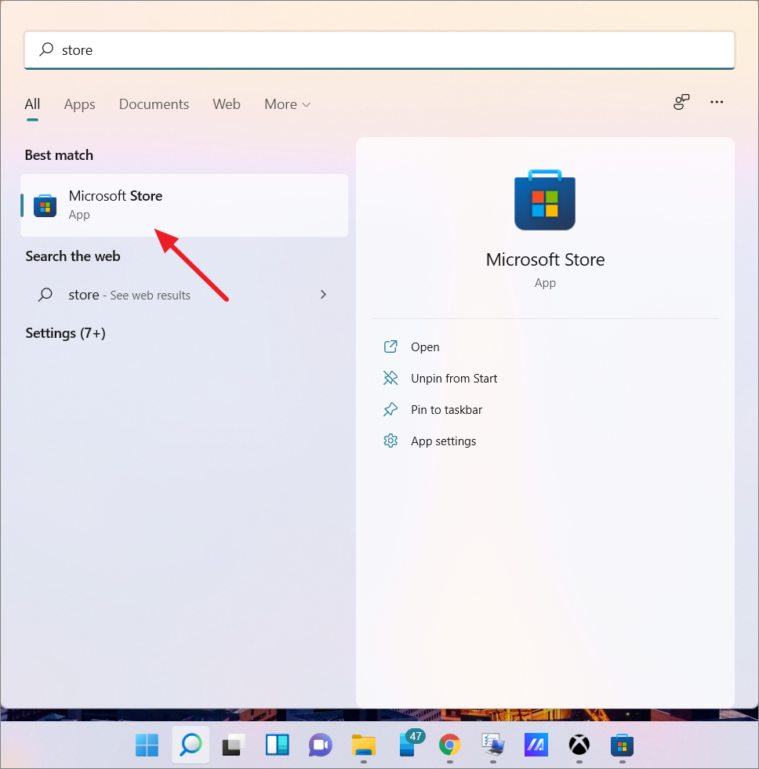
To install Minecraft: Bedrock Edition, search for Microsoft Store on Windows search and open it.
In the Microsoft Store, search for ‘Minecraft’ in the search bar. You will get multiple versions of the game. You can choose between the three main versions of the game, which are Minecraft for Windows 10, Minecraft for Windows 10 Starter Collection, and Minecraft for Windows 10 Master Collection. But only Minecraft for Windows 10 Edition offers a free trial.
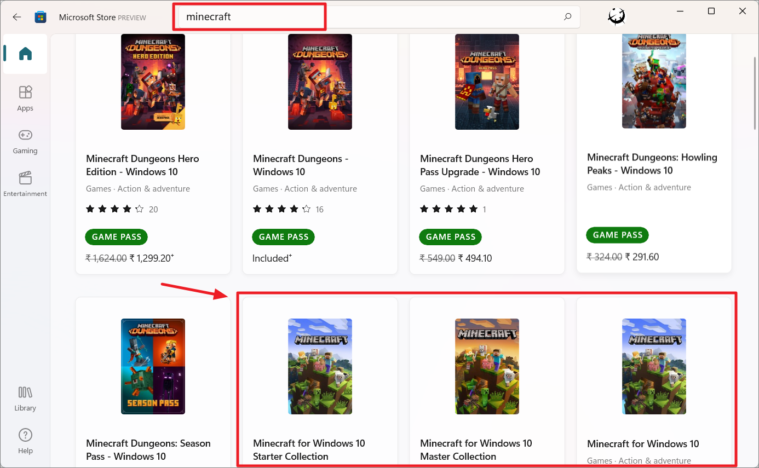
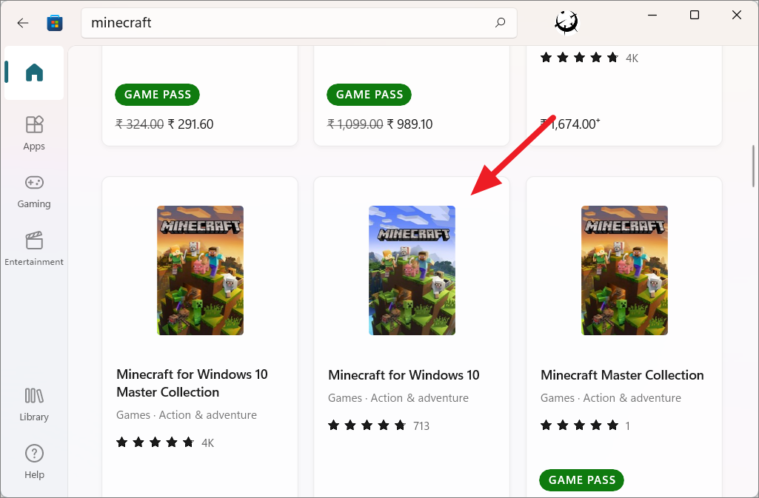
If you want to try out the game before buying it, click on the ‘Minecraft for Windows 10’ Edition from the result.
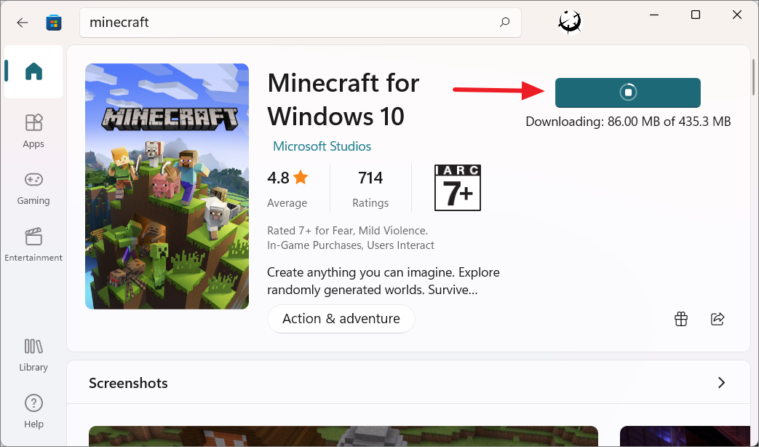
As you can see, the Bedrock edition will set you back up to $29.99 (₹ 1,474 in Indian Rupees). Click the money button, choose a payment method, and purchase the game. If you want to try it for free, click ‘Free trial’.
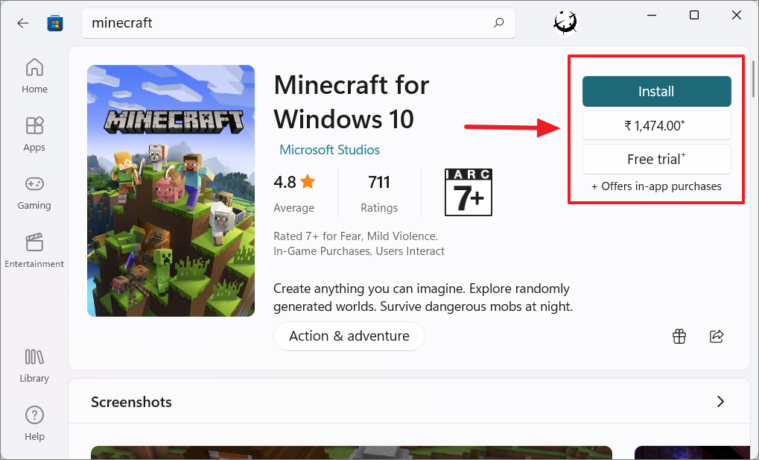
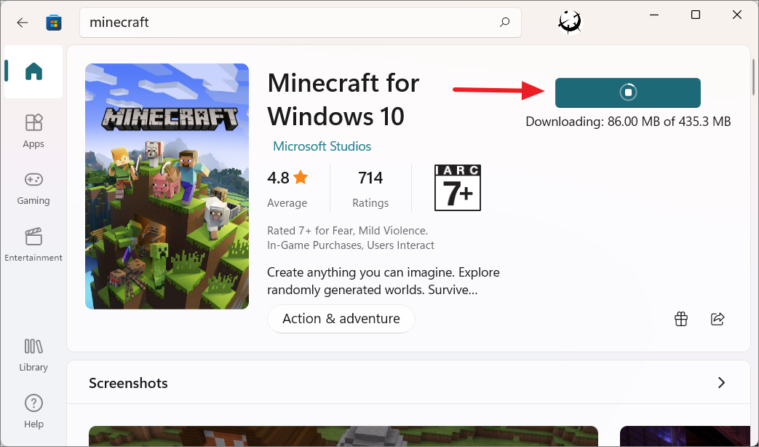
Once you click the ‘Free trial’ button, the downloading will start.
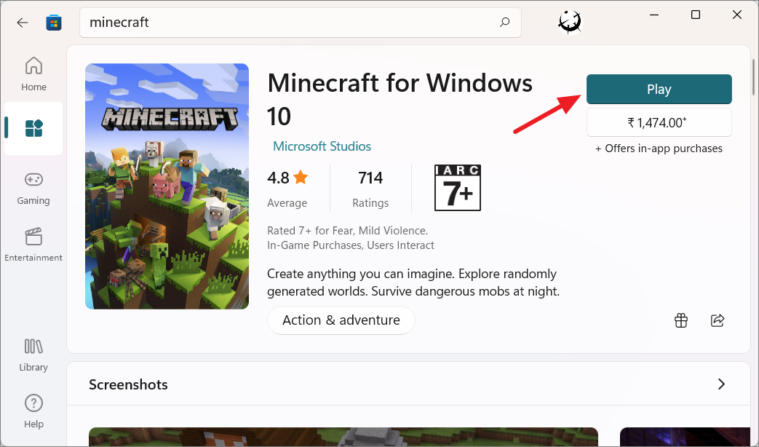
After the download is over, you can click the ‘Play’ button to start the game.
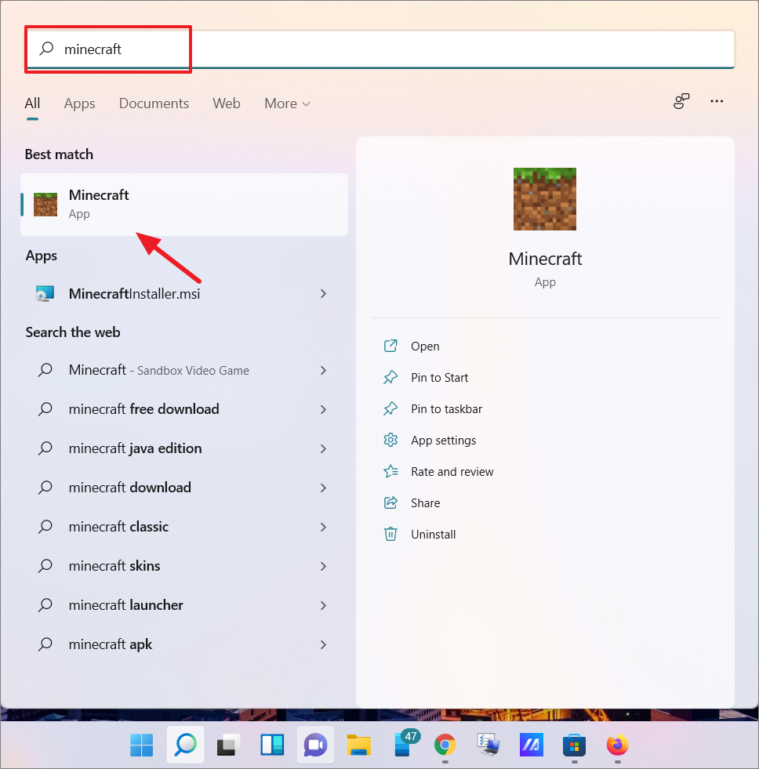
Or, search for ‘Minecraft’ in the Windows search and click the app from the result to launch the game.
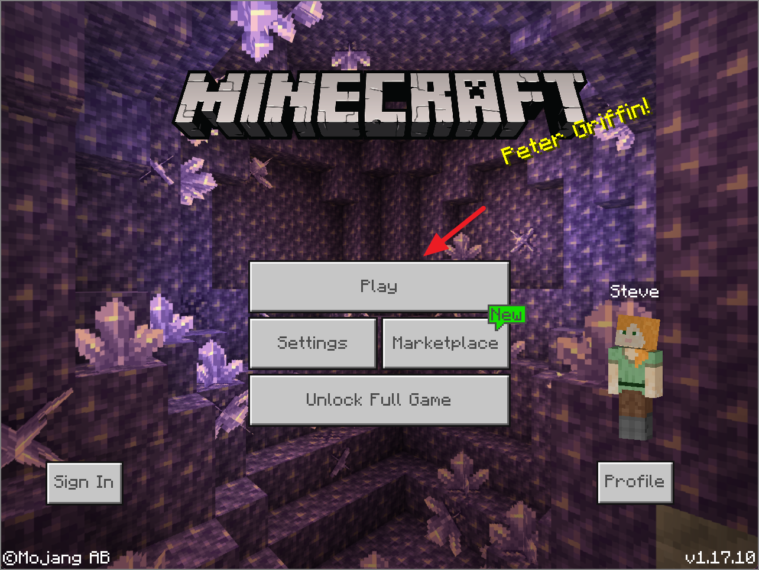
Once the game is loaded, click the ‘Play’ button and start enjoying the game.
Get Minecraft Bedrock Edition From Minecraft Website
You can also download and install ‘Minecraft for Windows 10’ Edition from the official Minecraft website.
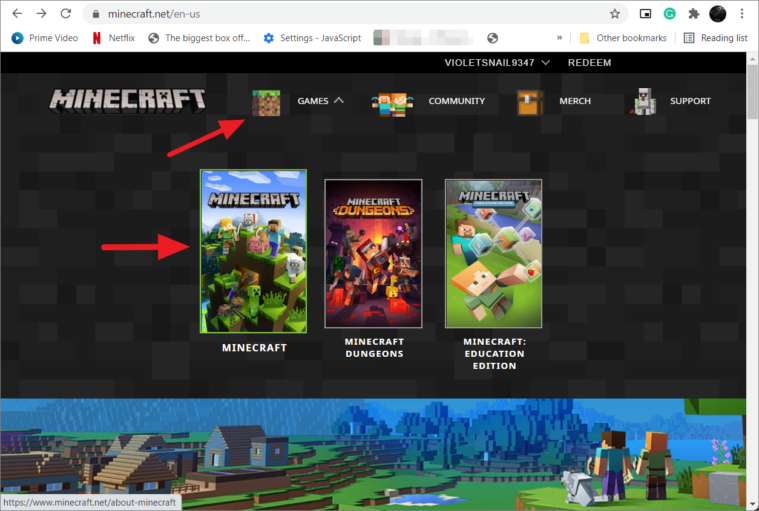
Go to minecraft.net and click on the ‘Games’ button at the top of the page, and select ‘Minecraft’.
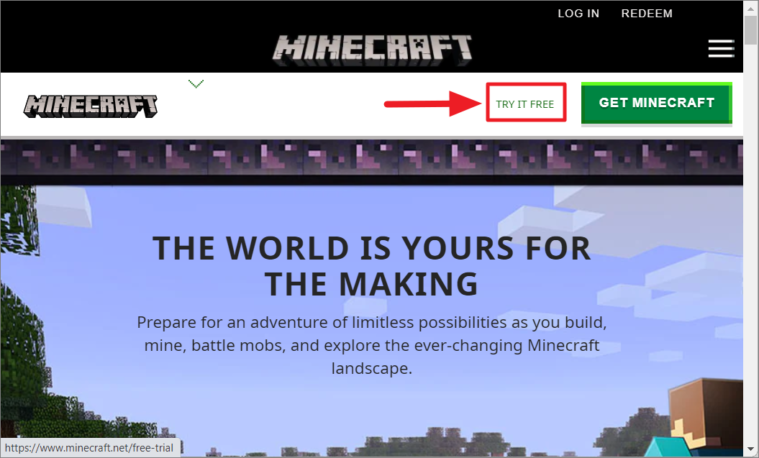
If you want to install a free trial, click the ‘TRY IT FREE’ link at the top of the website.
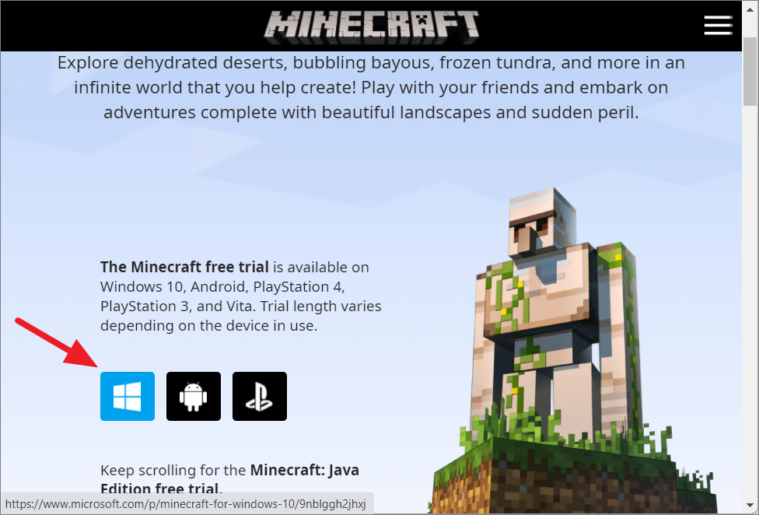
On the next page, click on the Windows logo to download the trial version.
If you are interested in purchasing the game, then, click the ‘GET MINECRAFT’ button on the Minecraft homepage.
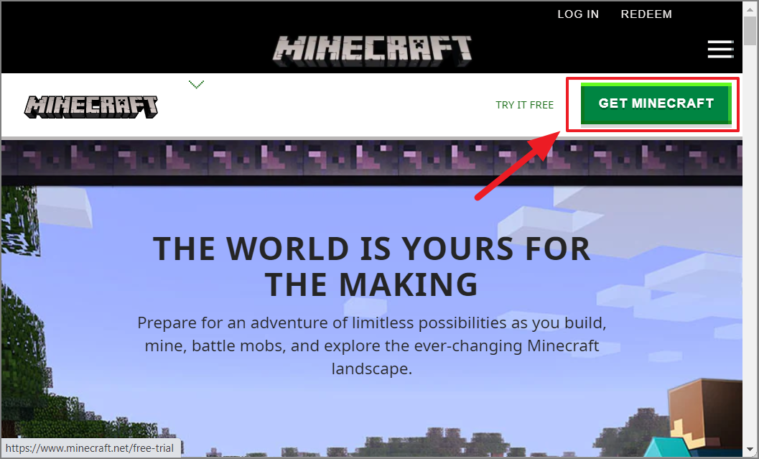
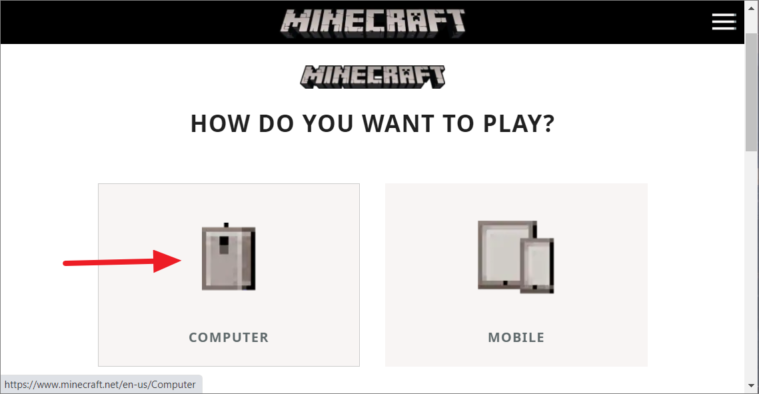
On the next page, select the device (COMPUTER in this case).
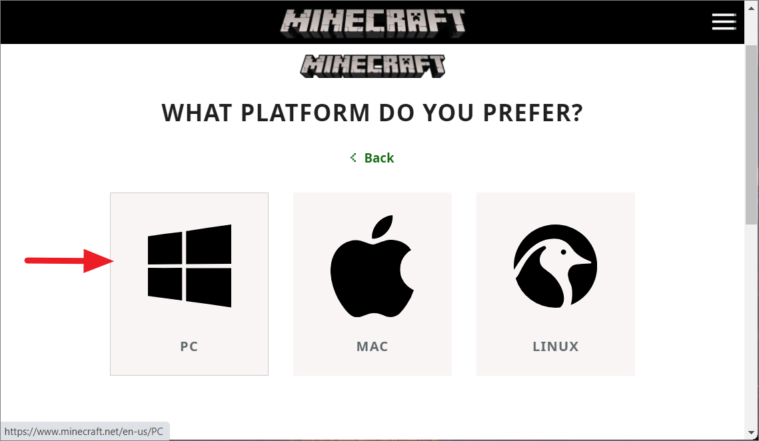
Next, choose the platform (PC).
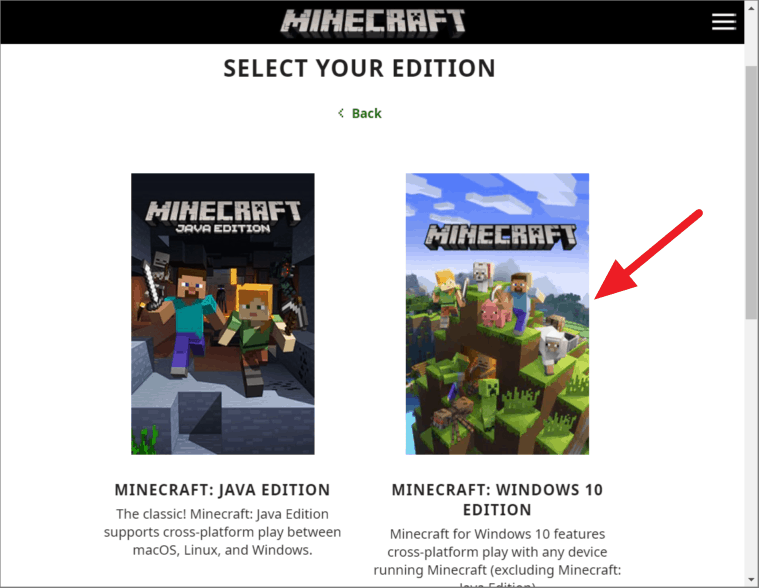
Next, select your edition. Then, select ‘MINECRAFT: WINDOWS 10 EDITION’ to download the Bedrock edition.
Then, choose either ‘Starter Collection’ or ‘Master Collection’ and click the ‘BUY’ button to go to the Order Summary page to purchase the game.
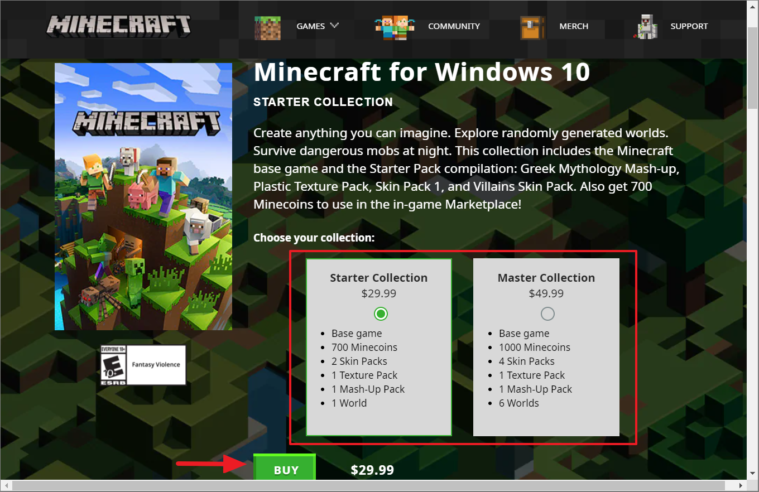
If you are buying Minecraft for Windows 10 Edition, it is better to buy it from Microsoft Store. Because you would get a fair price and get the cost of the game in your currency. If you buy from the official Minecraft website, the dollar-to-your currency conversion could be higher.
Download and Install Minecraft Java Edition from Minecraft Website
You can only download Minecraft: Java Edition from the Minecraft Official website.
To install the free trial of Minecraft: Java Edition, go to the official Minecraft website, click the ‘Games’ button at the top of the page, and select ‘Minecraft’.
Then, click the ‘TRY IT FREE’ link at the top of the website just like we did before.
Scroll down the next page, and click the ‘DOWNLOAD NOW’ button under the Minecraft: Java Edition for WIndows section.
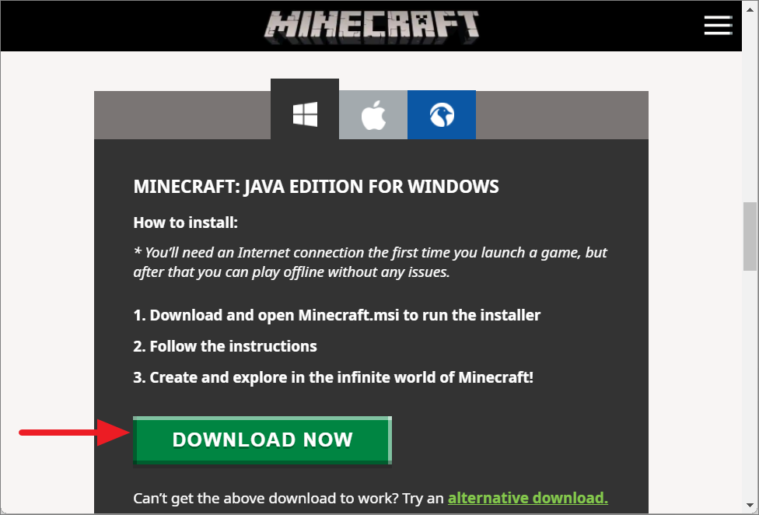
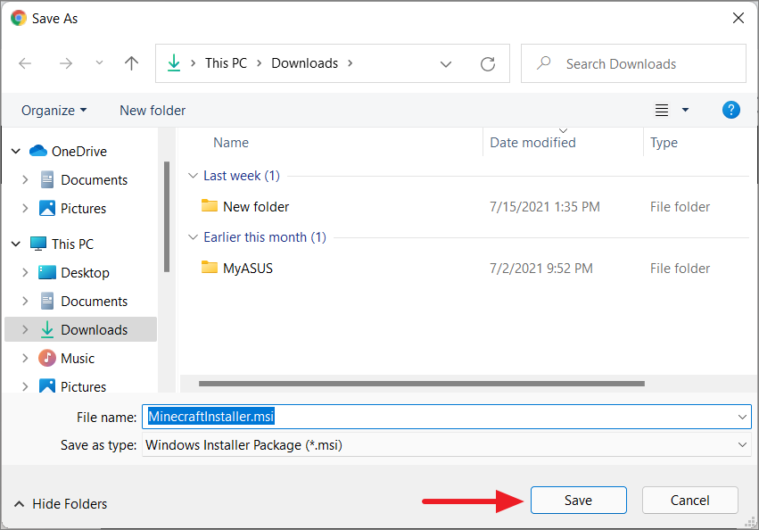
Next, choose a destination and save the installer.
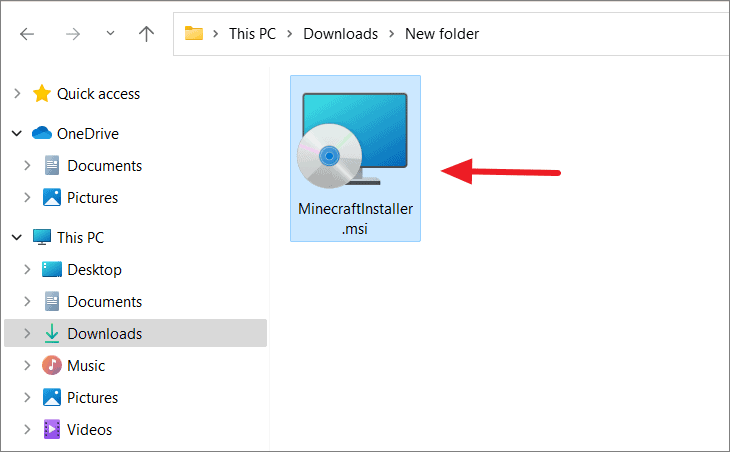
Then, double-click the installer to install it.
In the Minecraft Launcher Setup, click ‘Next’.
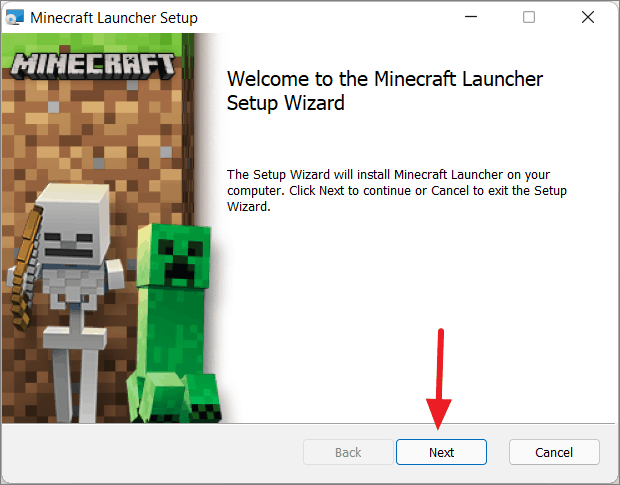
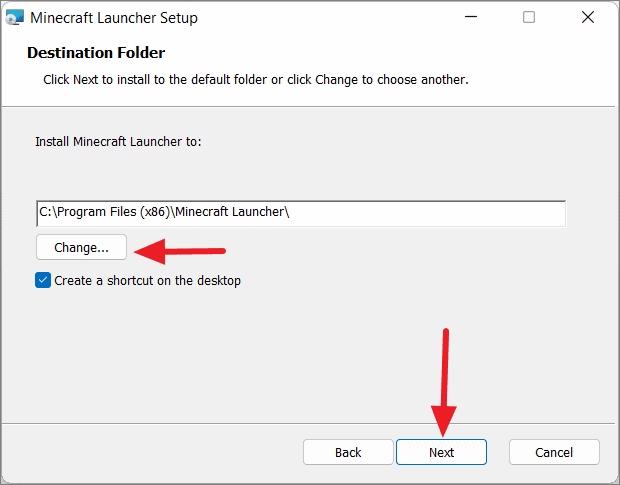
Then, choose where you want to save the game using the ‘Change’ button, and then click ‘Next’.
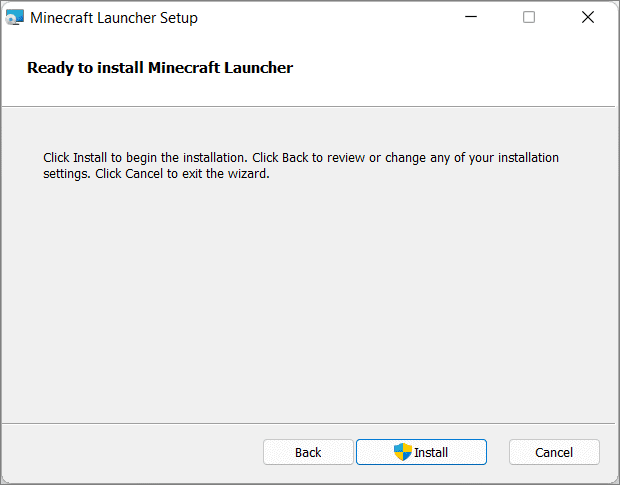
And then, click ‘Install’.
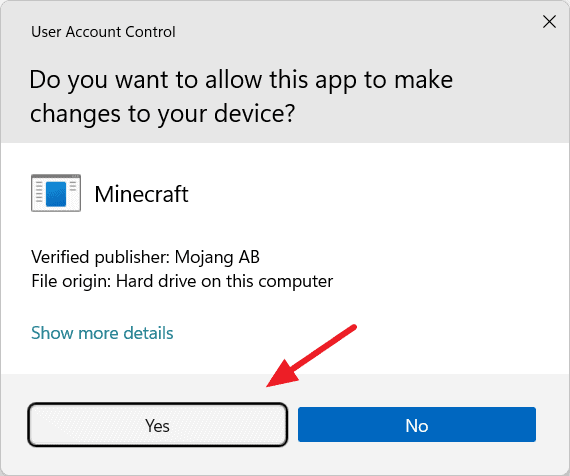
Click ‘Yes’, if User Account Control asks for permission.
Then, click the ‘Finish’ button.
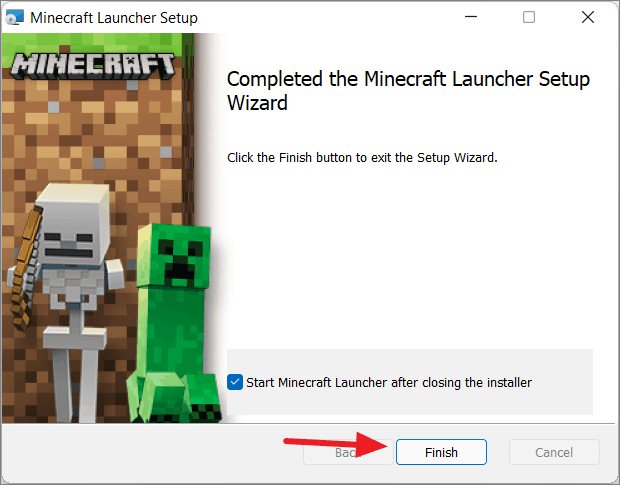
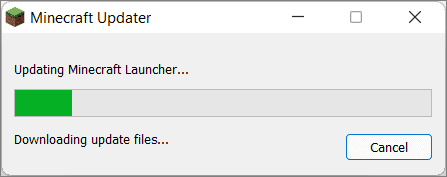
This will update the Minecraft Launcher and open it.
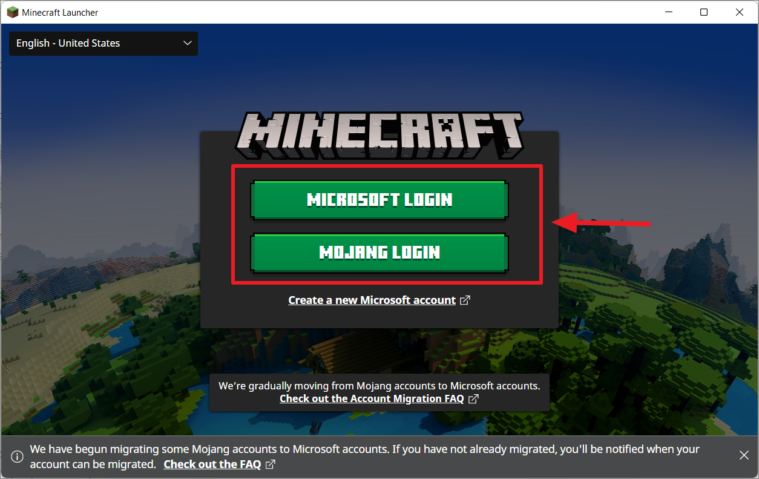
In the launcher, you can use either a Microsoft or Mojang account to log in. If you don’t have one, click the ‘Create a new Microsoft account’ link to create an account.
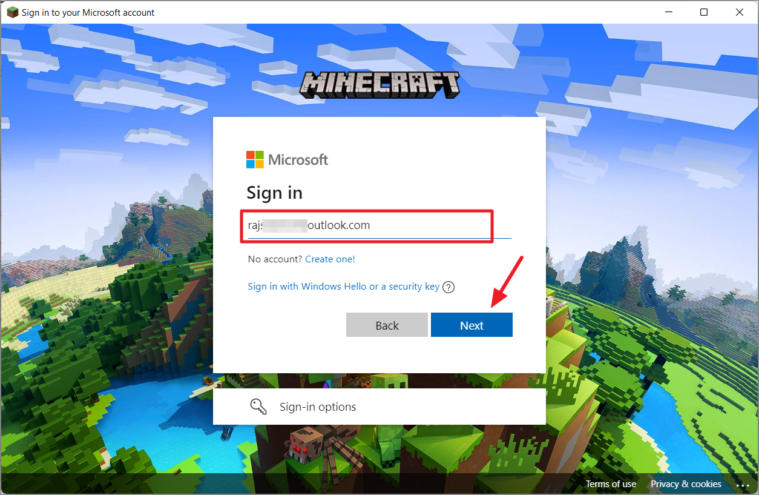
Next, enter the username and click ‘Next’.
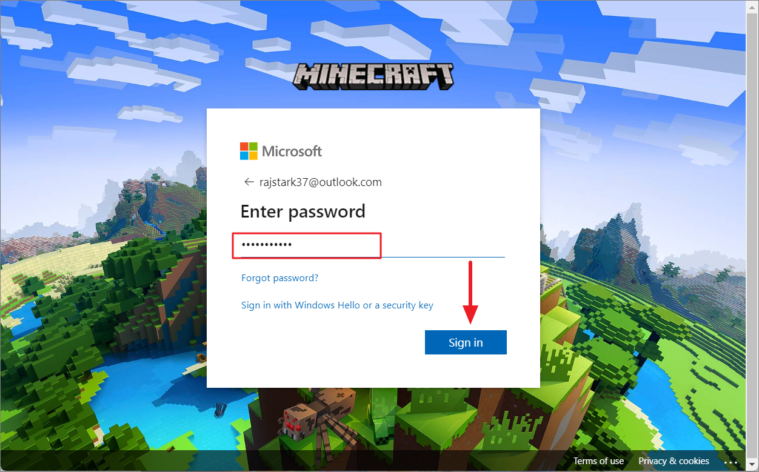
Then, enter your password and click ‘Sign in’.
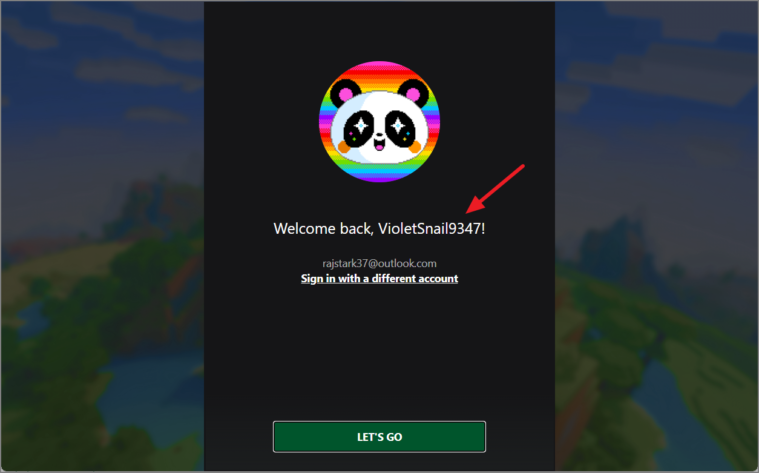
It will show you a welcome page with a randomly generated username (which you can change later).
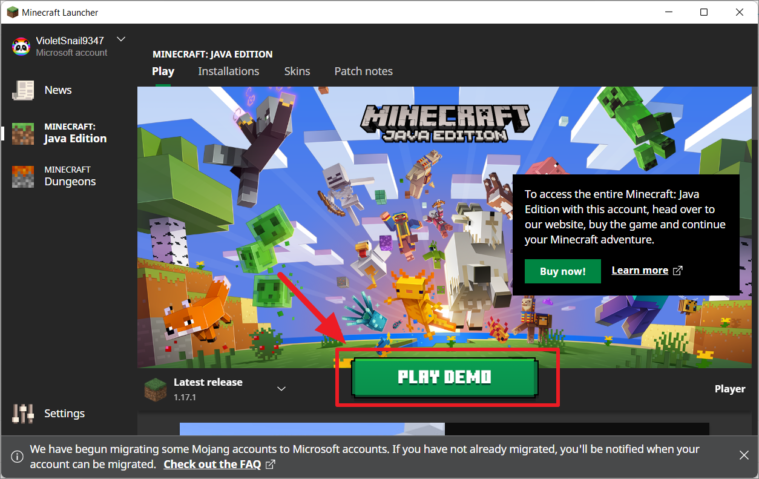
Once you logged, it will take you to the Minecraft launcher home page where you can manage your Minecraft account, buy skins, install mods, and change settings. Here, click ‘Play Demo’ to start the download of game files for the trial version.
It will start downloading the game files as shown below.
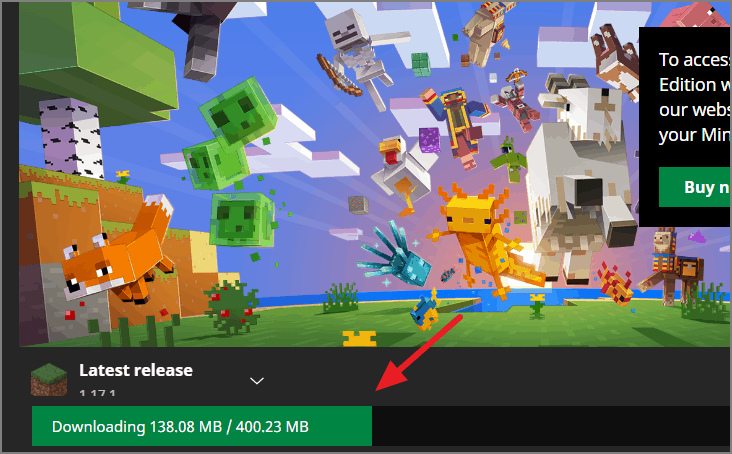
Once, the files have been downloaded, you can play the game.
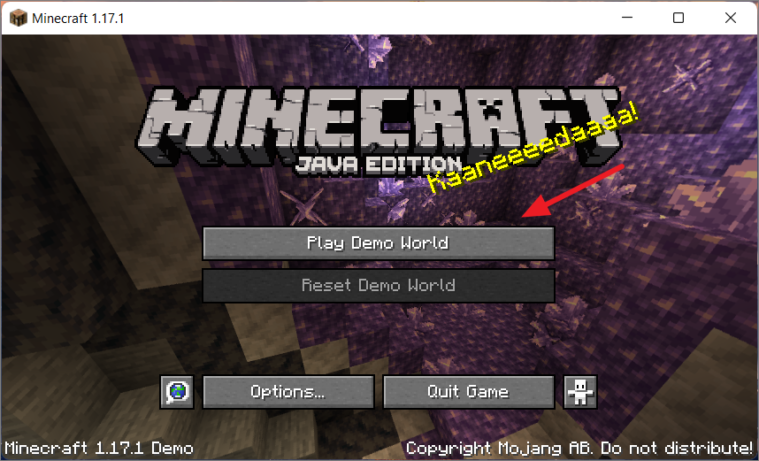
Remember this is only a demo version, it will only last ‘five in-game days’ or about ‘100 minutes’. Using the trial version is the best way to see if your computer can handle Minecraft.
After the trial period is over, you will need to purchase the full game if you want to continue playing.
Get Minecraft Java Full Edition
If you want to purchase the full Minecraft: Java Edition, you will need to do it on the Minecraft website.
To buy Minecraft Java Edition, go to the Minecraft website and click the ‘GET MINECRAFT’ button.
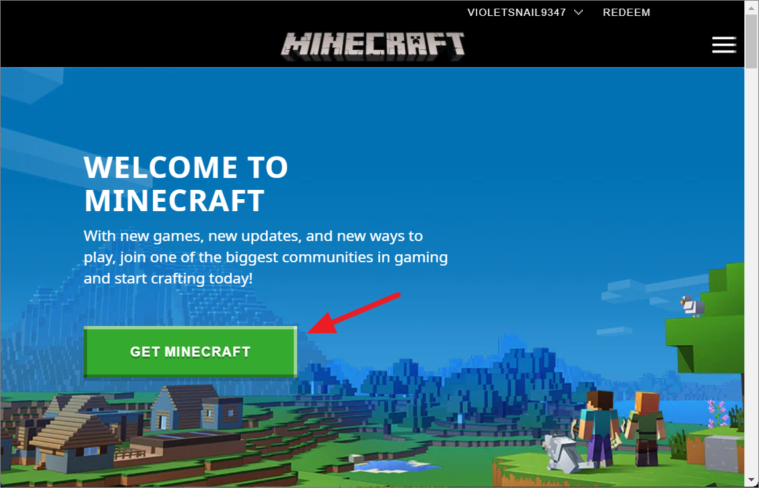
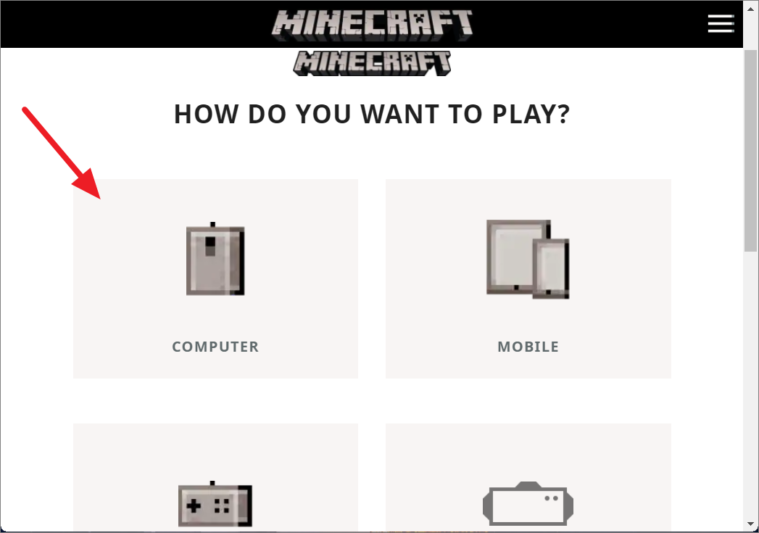
Next, select the device (Computer) you use to play.
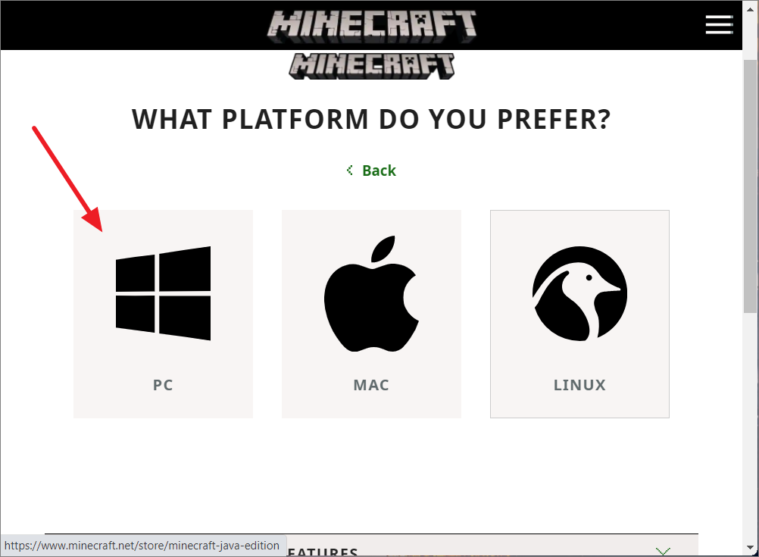
Then, select the Platform (PC – Windows).
Then, choose ‘MINECRAFT: JAVA EDITION’.
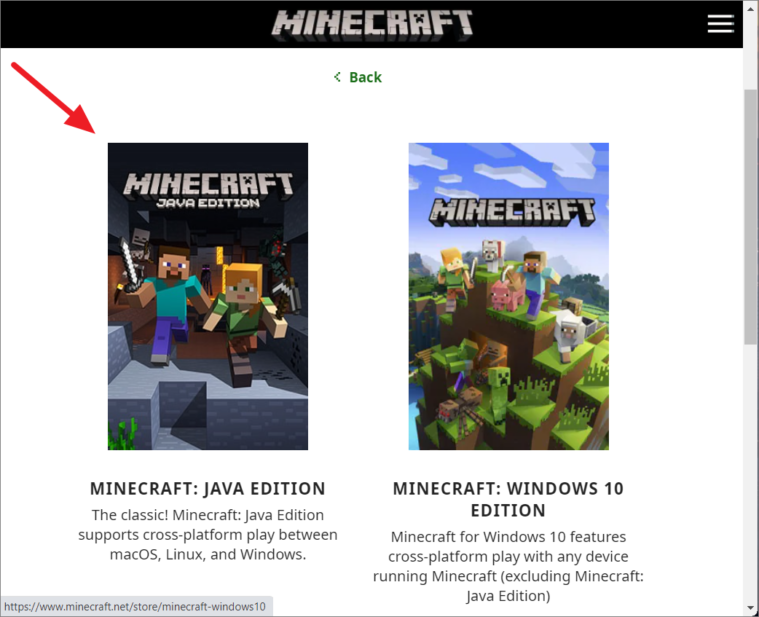
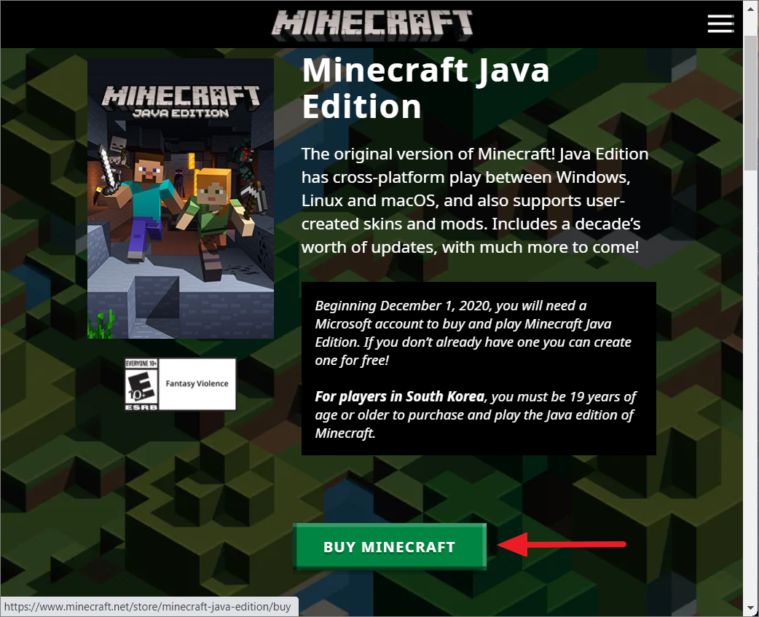
At last, click the ‘BUY MINECRAFT’ button.
This will take you to the Order Summary page, where you select your Country/Region and payment method, and buy the game (for approximately $26.95 or your local currency equivalent).
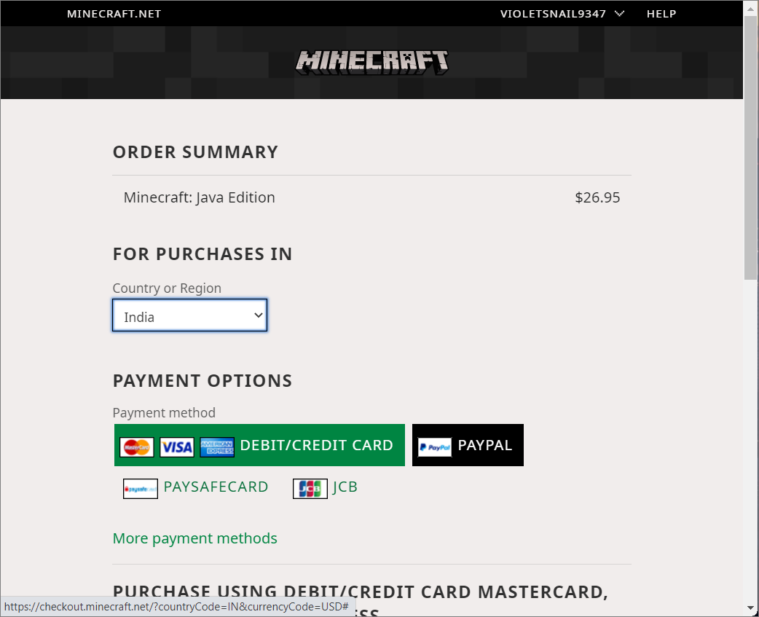
Once your payment is successful, you will get a download link to download the launcher setup. You can then install and configure the launcher to play the game.
Как загрузить и установить Minecraft на Windows 11 (2 метода)

Когда Microsoft запустила Windows 11, она заявила, что операционная система понравится геймерам. В какой-то степени это верно, поскольку в нем много игровых функций. Несколько лет назад Microsoft запустила новую службу подписки на игры, известную как Xbox Game Pass.
Xbox Game Pass — это, по сути, служба подписки на видеоигры от Microsoft, которая предлагает как бесплатные, так и премиальные игры. С одной подпиской вы сможете бесплатно получить доступ ко многим премиальным играм.
Недавно Minecraft был добавлен в библиотеку Xbox Game Pass, что позволяет пользователям играть во все три игры Minecraft на ПК с единая подписка. Итак, если вы хотите играть в Minecraft на своем ПК с Windows 11, вы читаете правильное руководство.
В этой статье мы перечислим несколько лучших способов загрузить и установить Minecraft на Windows. 11. Давайте проверим.
О программе запуска Minecraft
Если вы хотите играть в Minecraft на Windows 10 и Windows 11, вам нужно скачать и установить Minecraft Пусковая установка. Программа запуска Minecraft — это, по сути, программа запуска, которая может запускать три разные версии Minecraft —
Minecraft (Bedrock Edition) Minecraft: Java Edition Minecraft Dungeons
Без программы запуска Minecraft пользователям потребуется доступ к этим трем играм независимо от официального Веб-сайт. Если у вас есть подписка Xbox Game Pass, вы можете загрузить программу запуска Minecraft и бесплатно получить доступ ко всем трем играм Minecraft.
Инструкции по загрузке и установке Minecraft в Windows 11
Вы можете использовать Microsoft Store для загрузки и установки Minecraft в своей системе. Вот несколько простых шагов, которые необходимо выполнить.
1. Прежде всего, откройте поиск Windows 11 и введите Microsoft Store. Затем откройте Магазин Microsoft из списка.

2. В Microsoft Store найдите Minecraft Launcher.

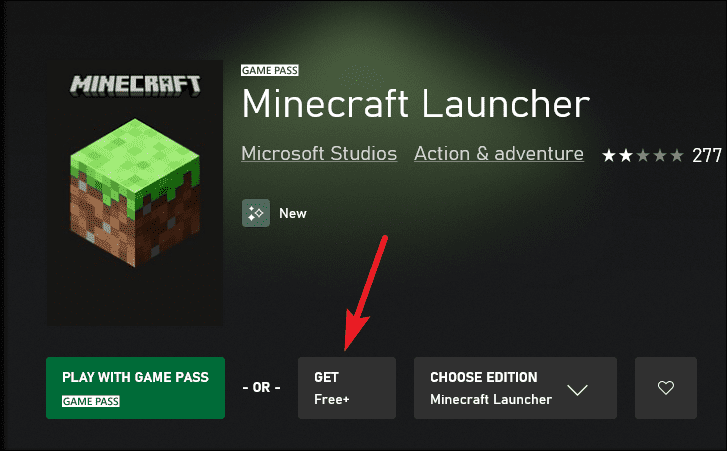
3. В списке результатов нажмите на программу запуска Minecraft
4. На следующем экране нажмите кнопку Получить.

5. Теперь подождите, пока игра загрузится. После загрузки нажмите кнопку Играть, чтобы начать игру.

6. Вам будет предложено войти в свою учетную запись Microsoft с подпиской Xbox Game Pass.

7. На левой панели вы найдете три названия Minecraft. Вам нужно выбрать название и установить игру.

Все! Вы сделали. Вот как вы можете загрузить и установить Minecraft в операционной системе Windows 11.
2. Загрузите и установите Minecraft через официальный веб-сайт
В этом методе мы будем использовать официальный веб-сайт Minecraft для загрузки и установки Minecraft в Windows 11. Вот несколько простых шагов, которые необходимо выполнить.
1. Прежде всего, посетите эту веб-страницу и нажмите кнопку Игры, как показано ниже.

2. В раскрывающемся меню нажмите Minecraft.

3. Нажмите кнопку Попробовать бесплатно на следующей странице, как показано ниже.

4. На странице «Попробуйте Minecraft бесплатно» выберите Windows операционную систему
5. Это откроет магазин Xbox. Вам нужно выбрать вариант “ПОЛУЧИТЬ бесплатную пробную версию”, как показано ниже.

Все! Вы сделали. Вот как вы можете загрузить и установить Minecraft в Windows 11.
Установить Minecraft в Windows 11 довольно просто. Вы можете использовать любой из этих двух методов, чтобы установить игру в своей системе. Я надеюсь, что эта статья помогла вам! Пожалуйста, поделитесь им и с друзьями. Если у вас есть какие-либо сомнения по этому поводу, сообщите нам об этом в поле для комментариев ниже.
87 How to install minecraft launcher on windows 11 with Multiplayer Online

2 Download alternative version instead of the classic one. Install the exe version. how to install minecraft launcher on windows 11.
How To Install Minecraft Launcher On Windows 11, If the restart didnt fix the problem it will be necessary to continue troubleshooting to the end of this article to properly solve Minecraft Launcher not working issue. The Minecraft Launcher provides access to the following games. The new Minecraft launcher is now available to download and install following the release of snapshot 21w44a.
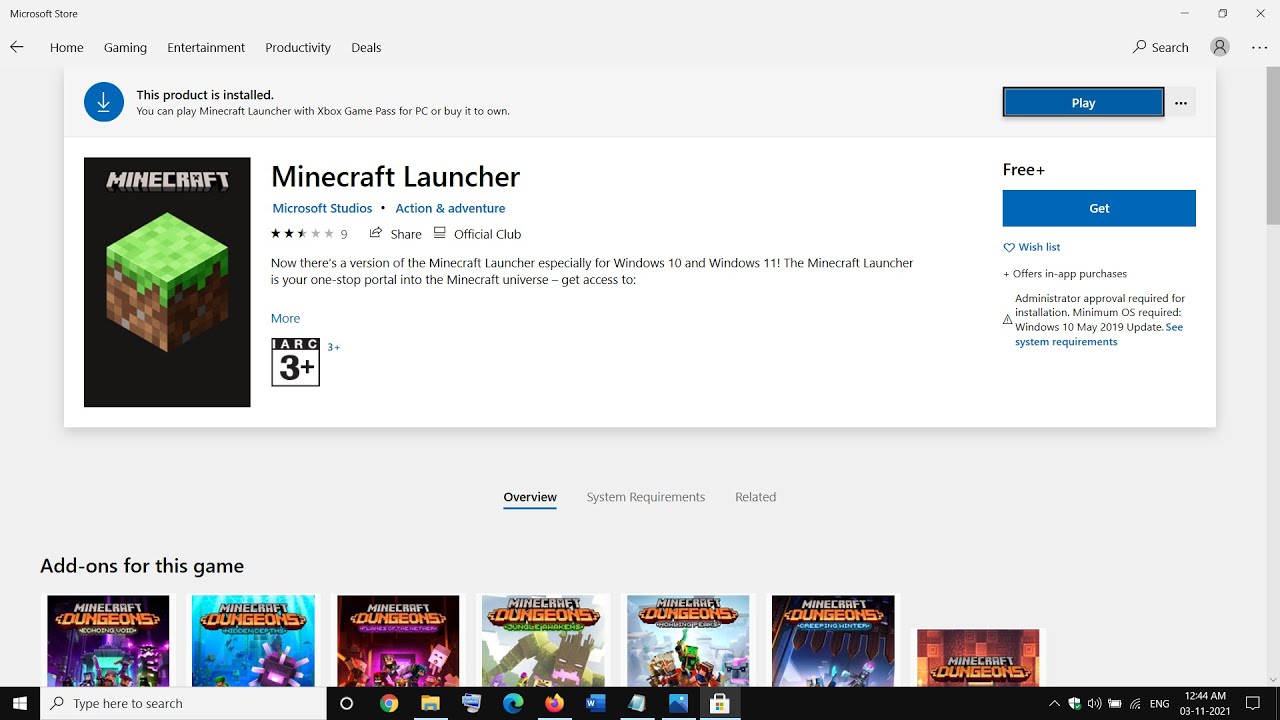
Fix Minecraft Launcher Not Installing Downloading On Microsoft Store Youtube From youtube.com
Create anything you can imagine. Minecraft now including the Launcher. Reinstall Minecraft Launcher.
Minecraft for Windows Play in creative mode with unlimited resources or mine deep into the world in survival mode crafting weapons and armor.
Download Minecraft for Windows Mac and Linux. Get-appxpackage MicrosoftGamingServices remove-AppxPackage -allusers without quotes. As of December 2020 the Minecraft Launcher supports both Microsoft and Mojang accounts. Download Minecraft for Windows Mac and Linux. Try to load the game from the launcher again.
As of December 2020 the Minecraft Launcher supports both Microsoft and Mojang accounts. The new Minecraft launcher is now available to download and install following the release of snapshot 21w44a. MC-241657 Not possible to install on Windows 11. If you previously purchased Minecraft login with your Microsoft Account to re-install. Click End task. What Is Minecraft Launcher And How To Download It On Windows 11 And 10 All Things How.
To install Forge on Windows 10 follow the instructions below. Minecraft Unified Launcher. Once you click the Free trial button the downloading will start. Explore infinite worlds and build everything from the simplest of homes to the. Minecraft now including the Launcher. How To Download And Install Minecraft On Windows 11.

The Minecraft Launcher is your one-stop portal into the Minecraft universe. Click End task. Right click on the Launcher icon and select Create desktop shortcut. Reinstall Minecraft Launcher. Create anything you can imagine. Minecraft In Windows 11 Youtube.
Install Minecraft Launcher from Website. Open the Minecraft Launcher and make sure that the Play button has an arrow beside it. Click End task. Hope you understand this article How To Fix Minecraft Launcher Not Working On Windows 11 Problem if your answer is no you can ask anything via the contact forum section related to this article. The Minecraft Launcher provides access to the following games. Fix Minecraft Launcher Not Installing Downloading On Microsoft Store Youtube.
Microsoft released the new Minecraft Launcher for Windows 1011. Try the game for free before you choose what Collection is best for you. How to Fix Minecraft Launcher Not Working on Windows 11 Problem. Here is how to fix the minecraft windows 11 error cant open launcher installer wont load. If not click the arrow to the right of the Play button and select Latest Release. Playing Minecraft On Windows 11 Youtube.

Simply removing the game entirely from your system and installing it again can fix any broken game files causing the issue So simply reinstall the game and you are good to go. Create anything you can imagine. Minecraft Unified Launcher. Microsoft released the new Minecraft Launcher for Windows 1011. As of December 2020 the Minecraft Launcher supports both Microsoft and Mojang accounts. What Is Minecraft Launcher And How To Download It On Windows 11 And 10 All Things How.

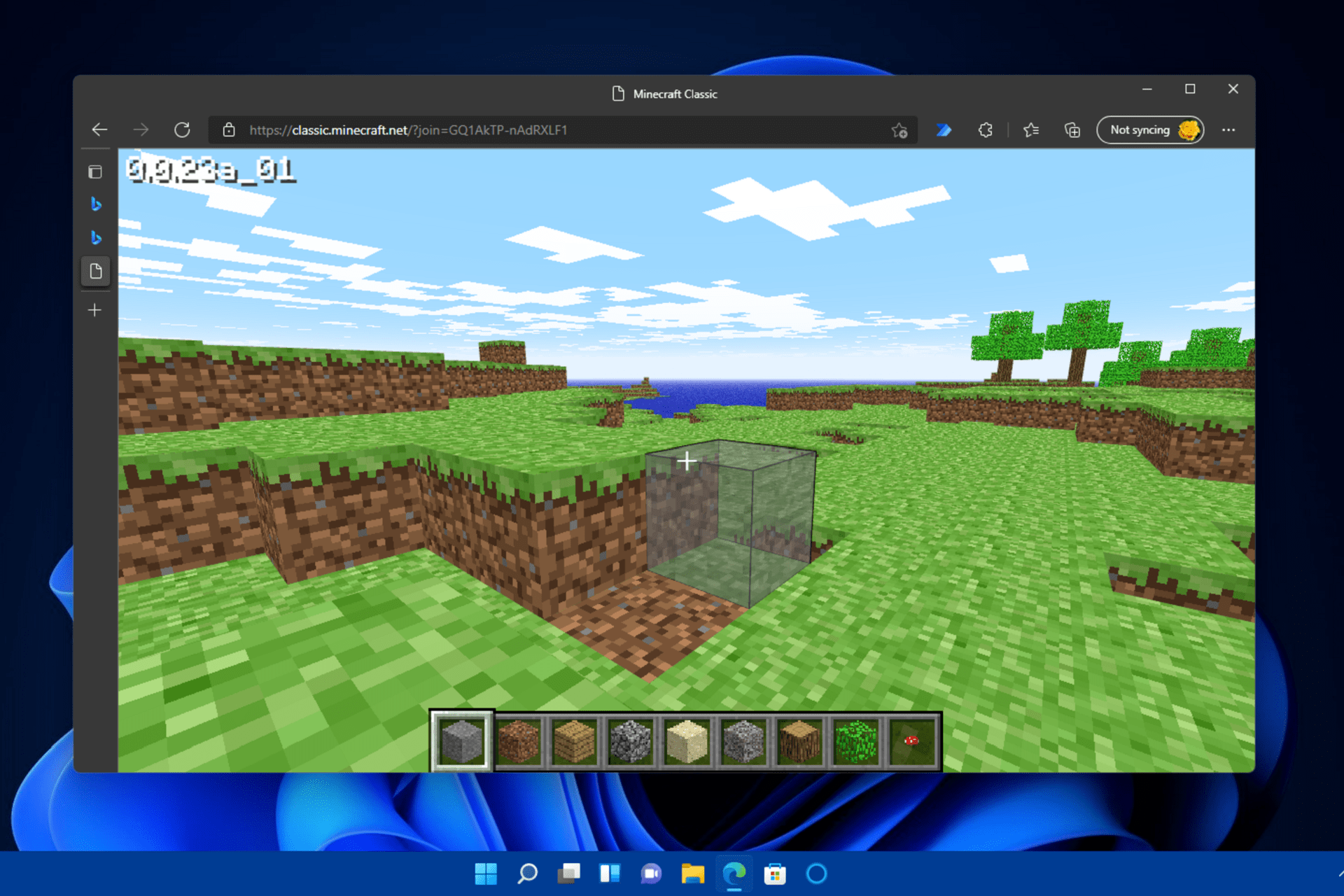
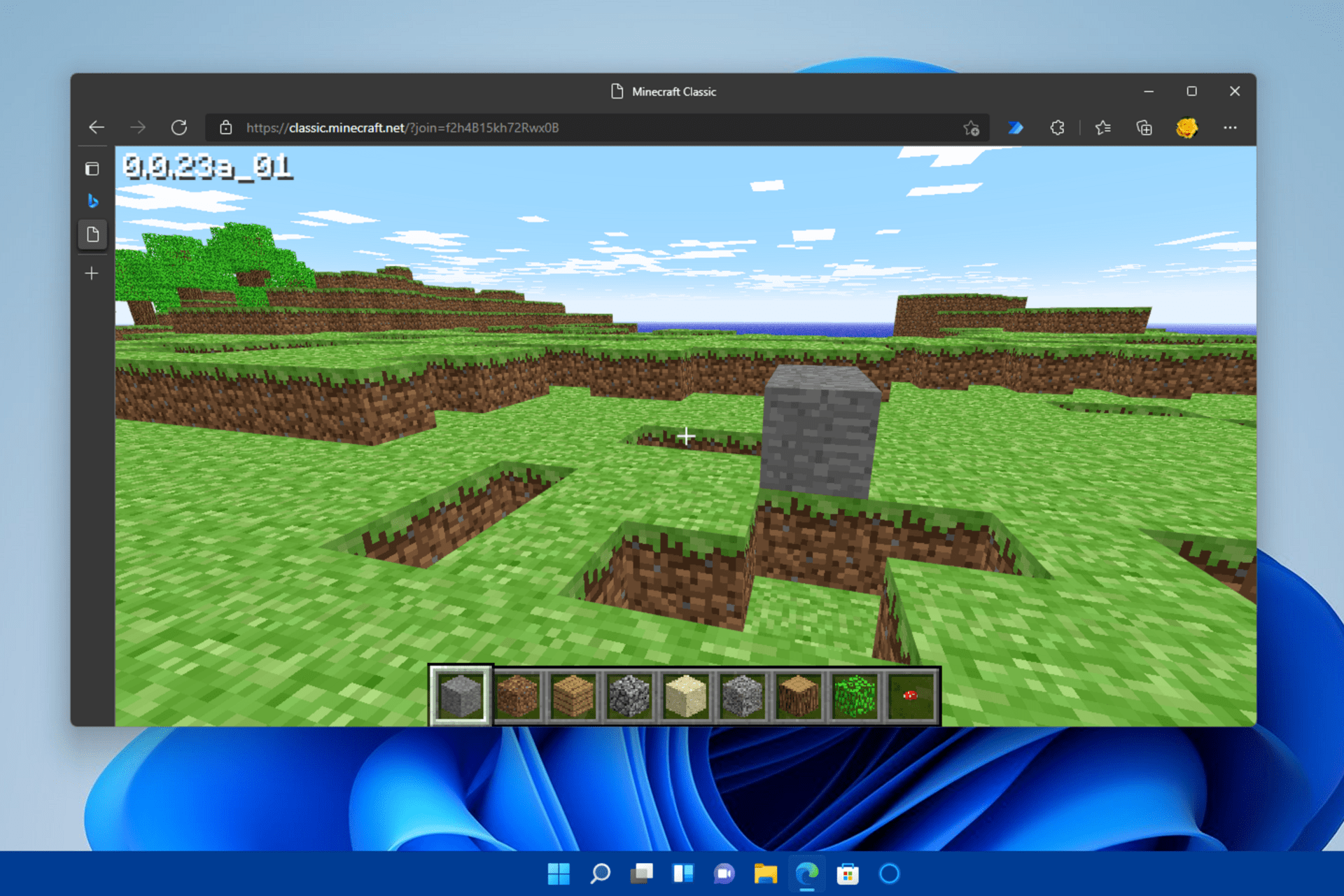
Try the game for free before you choose what Collection is best for you. Open the Minecraft launcher. Microsoft released the new Minecraft Launcher for Windows 1011. Download Minecraft for Windows Mac and Linux. Download OreSpawn mod for Minecraft 1710 for Windows. Playing Minecraft Classic On Windows 11 Because Normal Doesn T Work R Minecraft.
I found out how to update drivers and I finally can be able to play Minecraft launcher or Minecraft Java edition in Windows 11 without rollback. Even when my firewall and antivirus program is turned off. Click End task. Download OreSpawn mod for Minecraft 1710 for Windows. The Minecraft Launcher provides access to the following games. How To Get Minecraft On Windows 11 All Things How.
Minecraft Unified Launcher. Minecraft 187 Free Cracked Launcher Full Minecraft 183 is now available — Mojang minecraft 183 download free — Softonic How To Download. MC-241657 Not possible to install on Windows 11. Simply removing the game entirely from your system and installing it again can fix any broken game files causing the issue So simply reinstall the game and you are good to go. Microsoft released the new Minecraft Launcher for Windows 1011. Why Is My Installer Stuck I Just Got Windows 11 I Am Trying To Install Minecraft It Is Stuck Java R Minecrafthelp.
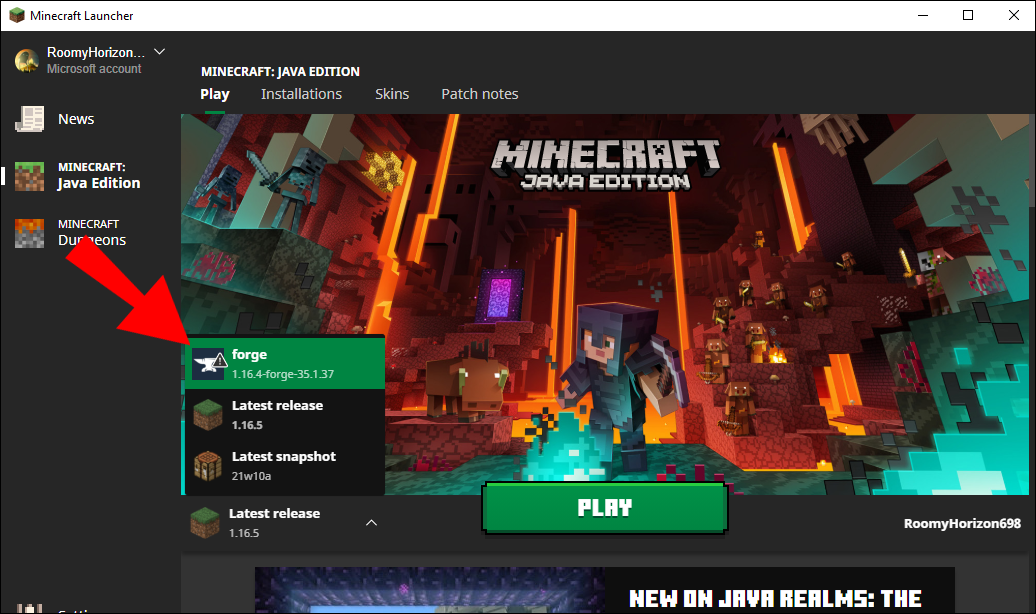
Minecraft 187 Free Cracked Launcher Full Minecraft 183 is now available — Mojang minecraft 183 download free — Softonic How To Download. Minecraft has released a Minecraft Launcher for Windows 10 and 11 PCs. MCL-20486 when installing the Minecraft launcher it will not even begin the installation process. Dont see the launcher. The new Minecraft launcher is now available to download and install following the release of snapshot 21w44a. How To Install Minecraft Forge On A Windows Or Mac Pc.
Download and install the latest version of Minecraft. If not click the arrow to the right of the Play button and select Latest Release. If you download the launcher straight from Microsoft store the issue most likely wont occur. To install Forge on Windows 10 follow the instructions below. Although marketed during Windows 11 release the Xbox Game Pass is also available for Windows 10 for versions 1903 May 2019 update and higher. Minecraft Not Working In Windows 11 Here S How To Fix It.
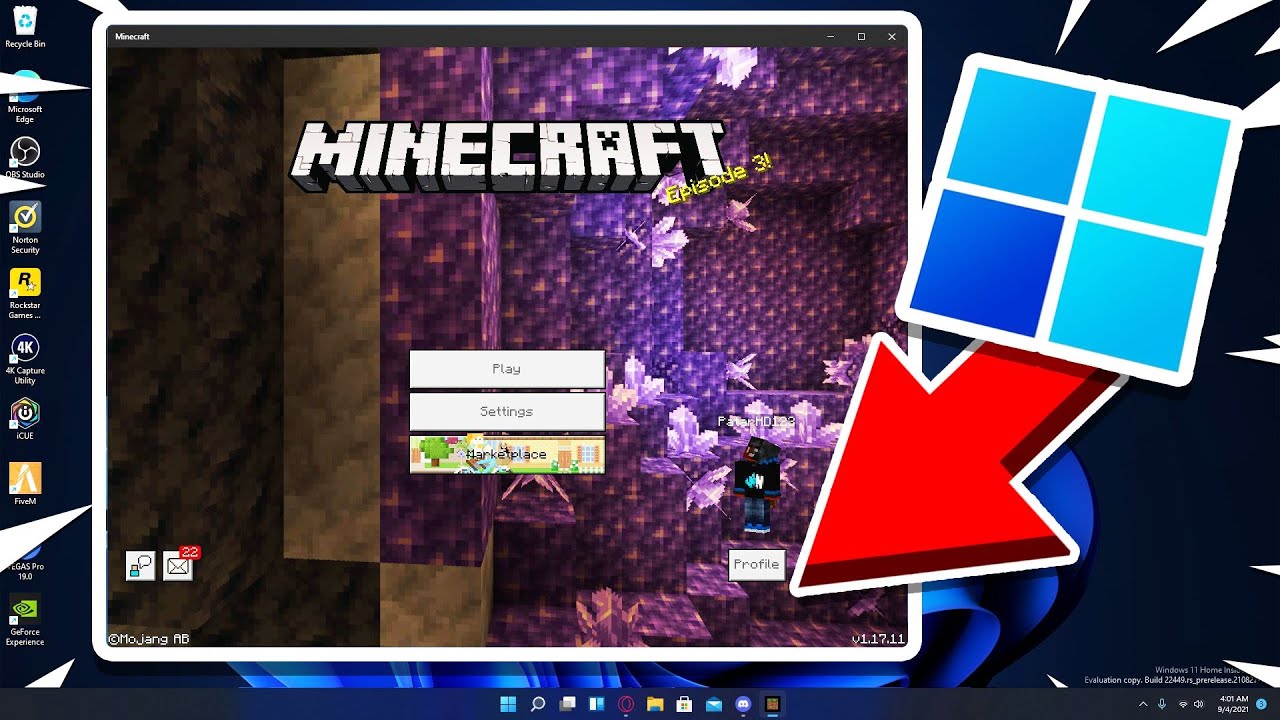
Download server software for Java and Bedrock and begin playing Minecraft with your friends. Open the Minecraft Launcher and make sure that the Play button has an arrow beside it. How to Fix Minecraft Launcher Not Working on Windows 11 Problem. If not click the arrow to the right of the Play button and select Latest Release. Once you click the Free trial button the downloading will start. Minecraft Windows 11 Edition Youtube.

Hope you understand this article How To Fix Minecraft Launcher Not Working On Windows 11 Problem if your answer is no you can ask anything via the contact forum section related to this article. Minecraft 187 Free Cracked Launcher Full Minecraft 183 is now available — Mojang minecraft 183 download free — Softonic How To Download. Dont see the launcher. Get-appxpackage MicrosoftGamingServices remove-AppxPackage -allusers without quotes. Install Minecraft Launcher from Website. 3 Ways To Get Minecraft For Free Wikihow.

If you previously purchased Minecraft login with your Microsoft Account to re-install. Even when my firewall and antivirus program is turned off. The new Minecraft launcher is now available to download and install following the release of snapshot 21w44a. Relaunch the Minecraft Launcher. Right-click Minecraft Launcher under Apps. Microsoft Released The New Minecraft Launcher For Windows 10 11 Real Mi Central.
Right click on the Launcher icon and select Create desktop shortcut. Now theres a version of the Minecraft Launcher especially for Windows 10 and Windows 11. I found out how to update drivers and I finally can be able to play Minecraft launcher or Minecraft Java edition in Windows 11 without rollback. The launcher should automatically show you the latest release. Install the exe version. What Is Minecraft Launcher And How To Download It On Windows 11 And 10 All Things How.
How To Get Minecraft Windows 11 Edition For Free
Is Minecraft Windows 10 compatible with Windows 11 Edition?
Minecraft is a popular game that one can play on Windows PC, Android phone, iPhone, Mac, Playstation, Xbox, and other devices. Minecraft is an 8-bit video game that is developed by Swedish developers Mojang and is owned by Microsoft. Players in this game explore the terrains and can build a virtual world using blocks and other resources provided in the game. In this article, we will be discussing how you can get Minecraft in Windows 11 for free.
Get Minecraft for Windows 11 For Free
You can download the free trial of Minecraft on Windows 11 and play it on your PC. However, the free trial of Minecraft has a gameplay of 100 minutes, or 5 in-game days, after which you will have to pay for the game. If you want to get Minecraft in Windows 11 for free, then follow the steps given below.
- In the start menu, search for the Microsoft Store, and open it.
- In the Microsoft Store, search for Minecraft. You will see multiple versions of Minecraft for Windows 10 here. You will find Minecraft for Windows 10, but that is compatible with Windows 11 as well.
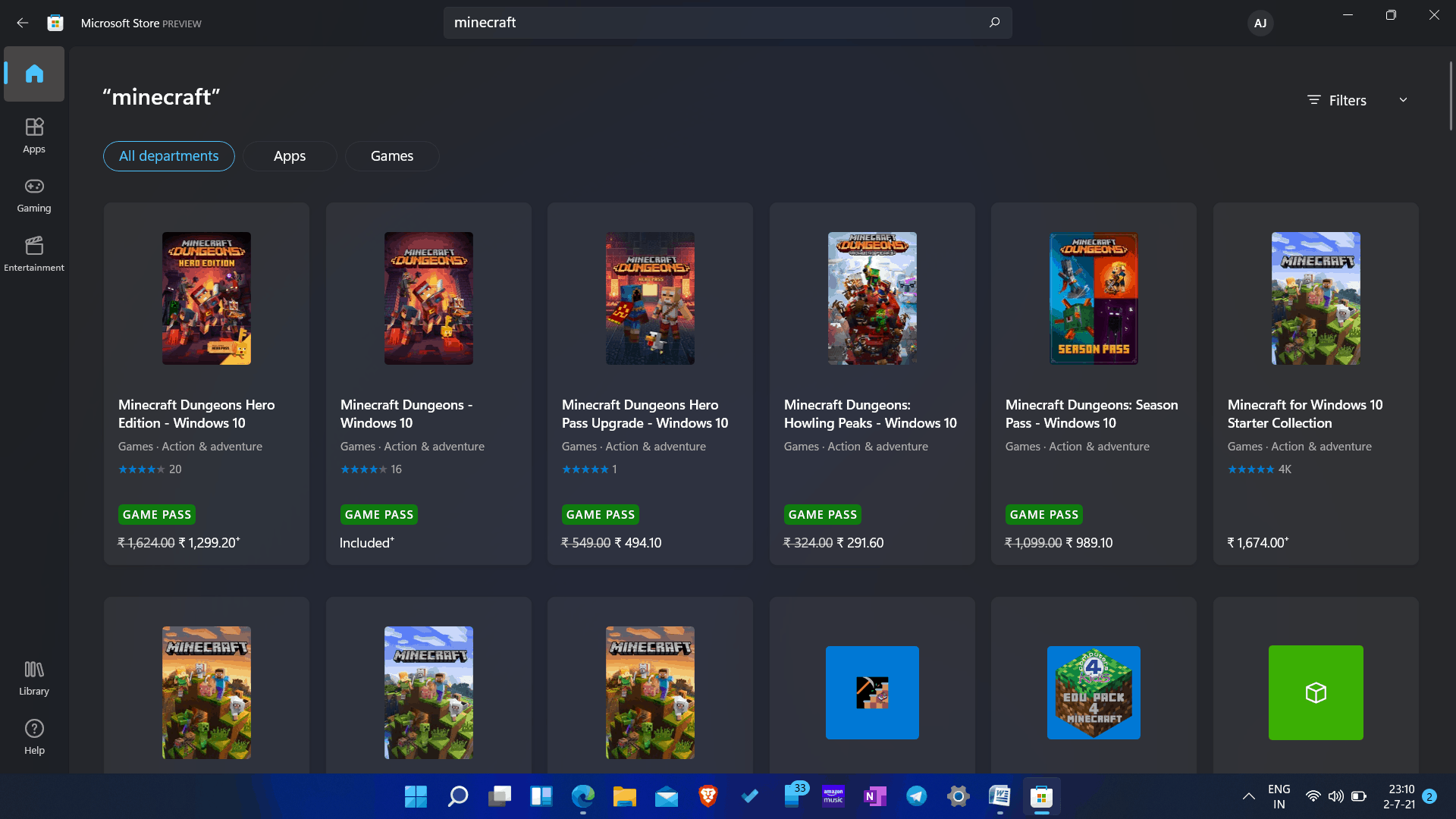
- Open Minecraft for Windows 10 . Click on the free trial option to download the free trial of the game.
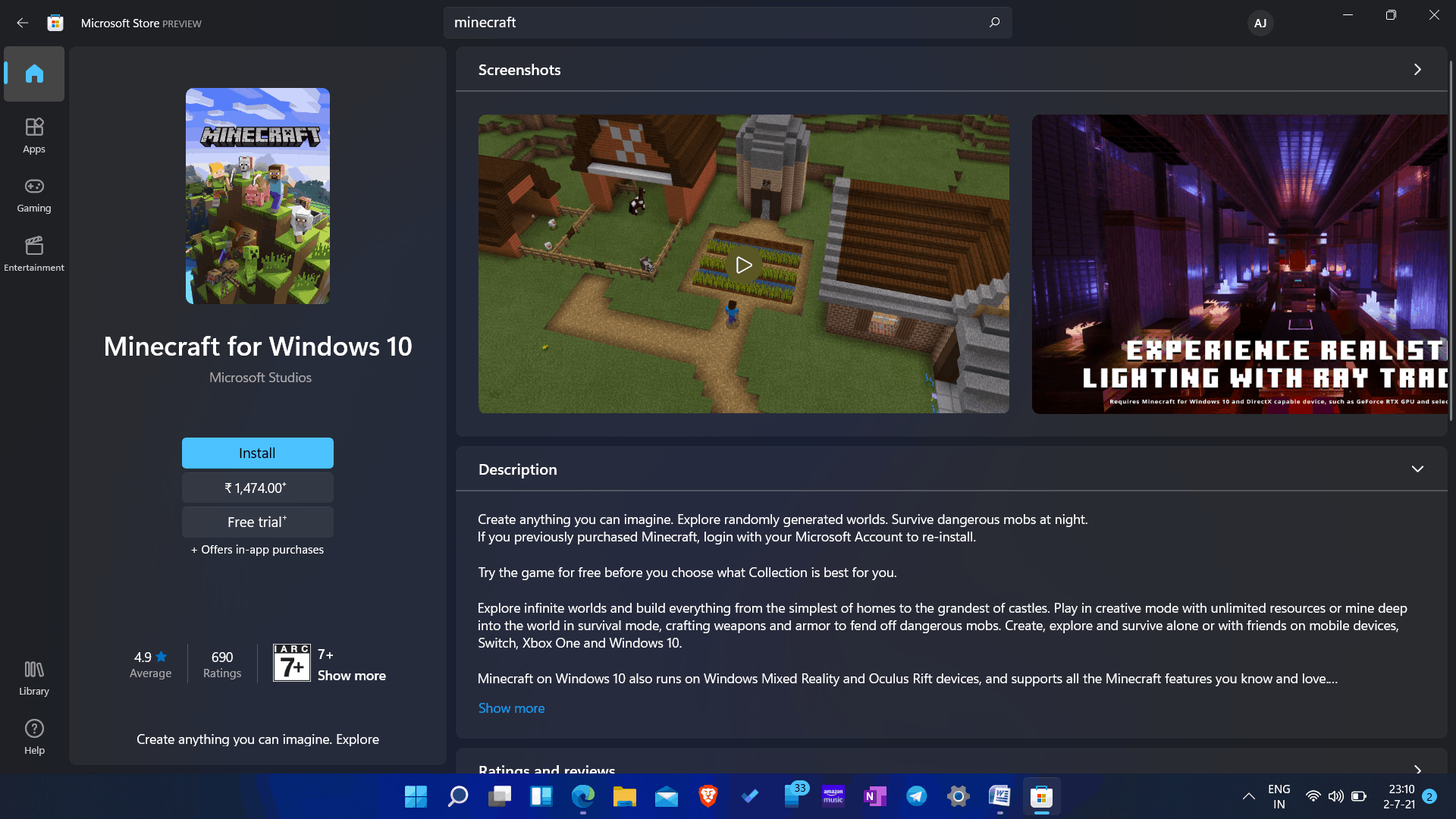
- The game will start downloading. The game will be downloaded and installed on your PC.
Get The Paid Version Of Minecraft: Bedrock Edition
If you want to download the paid version of Minecraft will cost you Rs. 1,474. You can buy the game from the Microsoft Store itself. You will see the option to get the paid version on the download page of Minecraft on the Microsoft Store.
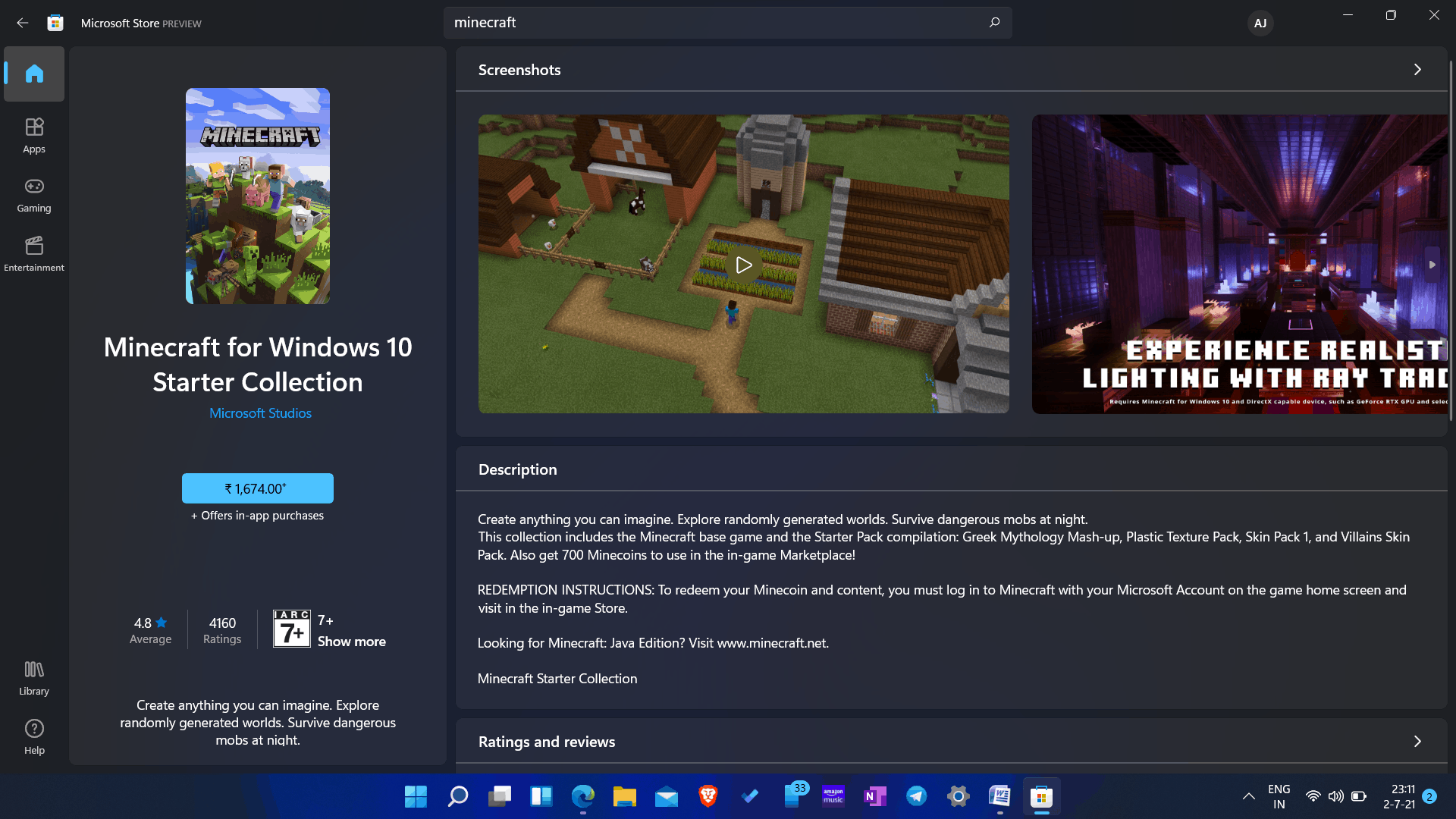
There are two other versions of the game, known as starter collection and master collection. The Minecraft Starter collection version will cost you Rs. 1,674, whereas the Minecraft Master collection version will cost you Rs. 2,724. You can, however, try out the Minecraft free accounts to see whether they work for you.
The only difference between them both is the Minecoins. The starter collection gives you 700 Minecoins, whereas the Master collection gives you 1000 Minecoins. Moreover, you may get more skin packs on the Master collection version.

- If you want to download them on your PC, you have to search for Minecraft on Microsoft Store, and you will find all of these versions of the game there.
- Click on the version you want to get, click on install/get.
- You will be asked to continue with payment. Confirm the payment, and the download will begin.
- Once the download is completed, the game will be installed on your PC, and you will be able to play it on Windows 11.
Is Minecraft for Windows 10 compatible with Windows 11?
Mojang team have yet to confirm anything, it is safe to assume that Minecraft Windows 10 Edition will run on Windows 11. It’ll work out. You can use the method described above to test this. Minecraft was running smoothly on our PC at the time of writing this post.
READ MORE:
- Turn Off Automatic Updates On Windows 11
- This PC Can’t Run Windows 11 – How to Fix?
- How to Get Adobe Reader for Windows 11
Final Words
That’s how you can get Minecraft in Windows 11 for free. You will be getting the free trial of the game, which you will have to upgrade if you want to have the game’s immersive experience.