Commands
/battlelog [player] : Exports the battle log of the given player or, if no player is specified, the user. Player needs to be in a battle for this to happen.
breed
/breed <player> <slot 1> <slot 2> : This command will give the chosen player an Egg that would result from the breeding of the two Pokémon in the specified party slots. If the two Pokémon are not able to breed with each other, the command will fail.
catchingcharm
/catchingcharm <[player] [remove]> : Gives the player a catching charm. Will give the charm to the user of the command if a target is not specified. The «remove» argument can be added to remove the charm (a player must first be specified).
checkspawns
/checkspawns [specific | type] : Provides a percent-chance based list of all the Pokémon that may spawn in the player’s current area at the current time/weather/etc. under the Better Spawner. If the ‘specific’ argument is added, only the block being stood upon is checked. If a type is provided, only spawns of that type (see permissions) will be shown.
compedit
/compedit <player> <box> <slot> <Pokémon Spec> : Edits the specified Pokémon in the specified player’s PC using a Pokémon Spec.
completeallquests
/completeallquests <player> : This command completes all active Quests for selected player.
compsearch
/compsearch <player> <spec> : Displays all occurrences of the specified Pokémon Spec in the specified player’s PC, including box number, Shininess, level, Nature, Growth, Ability, original Trainer, held item, EVs, IVs, and moves. To find the majority of this information, the player can mouse-over the corresponding section of the chat box. Eggs containing the specified Pokémon will also be displayed. This command does not look in the player’s party.
Aliases: /pokecompsearch , /pcompsearch
compsee
/compsee <player> <box> : Shows all of the Pokémon in the specified box in the specified player’s PC. Along with the Pokémon themselves, their Shininess, level, Nature, Growth, Ability, original Trainer, held item are shown. To find the majority of this information, the player can mouse-over the individual Pokémon of the chat box. The contents of Eggs are shown rather than the Eggs themselves.
comptake
/comptake <player> <box> <slot> : Takes the Pokémon in the specified box number and slot and gives it to the user of the command.
comptest
/comptest <player> <box> <position> <Pokémon Spec> : Checks whether the Pokémon in the specified position of the specified player’s PC matches the Pokémon Spec given in the command. For example, /comptest Hiroku 1 23 untradeable unbreedable s will check if the specified Pokémon is untradeable, unbreedable, and shiny.
dexcheck
/dexcheck : Gets the number of caught Pokémon according to the user’s Pokédex. This is only for the user who is using the commmand.
disablebattle
/disablebattle <player> : Disables battles for selected user against other players.
dynamaxband
/dynamaxband <player> : This will give the specified player a Dynamax Band, used to Dynamax Pokémon.
eggsteps
/eggsteps <player> <slot> : Displays the total number of steps required to hatch the Egg in the specified party slot (1-6) of the specified player’s party. If no player is given, the command user’s party will be used.
endbattle
/endbattle [player] : Immediately ends the battle that the player is in (if any). If the player argument is omitted, the command will be executed on the player who used the command.
/evs <slot> : Checks the EVs of the chosen Pokemon.
expcharm
/expcharm <[player] [remove]> : Gives the player an experience charm. Will give the charm to the user of the command if a target is not specified. The «remove» argument can be added to remove the charm (a player must first be specified).
fillcurrydex
/fillcurrydex [player] [rating] [page] [flavor] : Fill the specified player’s Curry Dex. If only the player is specified the command will completely fill the Curry Dex to 100% completion. If only the player and rating are specified the command will fill every entry in the given player’s Curry Dex to the given rating. If only the player, rating, and page are specified, every entry on that player’s specific page will be set to the given rating. If all parameters are entered then only the singular specified entry will be changed.
filldex
/filldex [player] [percentage] : Fill the specified player’s Pokedex up to the given percentage. If no percentage is specified, the Pokedex is filled 100%. If no player is specified, it fills the user’s to 100%.
freeze
/freeze : This will make all Pokémon stop moving in the world. Using this command while it is already in effect will allow Pokémon to move again.
givemoney
/givemoney <player> <amount> : This command gives the specified amount of PokéDollars to the specified player. The amount may also be negative to deduct PokéDollars from a player.
givepixelsprite
/givepixelsprite <player> <Pokémon> [arguments] : Gives the player a photo depicting the specified Pokémon. All arguments are in the form of a Pokémon spec.
/hatch <player> <position> : Hatches the Egg that currently resides in the specified position of the player’s party. This command has no effect if the position does not contain an Egg.
hiddenpower
/hiddenpower <position> : Displays the type and base power of Hidden Power if used by the Pokémon in the specified party position (1-6) of the command user’s party. This command will function regardless of whether the targeted Pokémon currently knows Hidden Power.
/ivs <slot> : Checks the IVs of the chosen Pokemon.
legendaryspawn
/legendaryspawn : Attempts to spawn a legendary Pokémon near the calling player, using normal spawning chances for valid legendaries in the area.
levelling
/levelling [player] <slot> <on | off> : Sets whether the specified player’s Pokemon (or the user’s if no player is specified) is able to level up from experience they gain.
markcharm
/markcharm <[player] [remove]> : Gives the player a mark charm. Will give the charm to the user of the command if a target is not specified. The «remove» argument can be added to remove the charm (a player must first be specified).
megaring
/megaring <player> : This will give the selected player a Mega Ring, used to Mega Evolve Pokémon.
npckill
/npckill <world> <type> : Removes all NPCs of the specified type. The type argument can be any of the following:
- all : All NPCs.
- chatting : Chatting NPCs.
- doctor : Doctors.
- relearner : Move relearners.
- shop : Shopkeepers
- trader : Traders
- trainer : NPC Trainers.
- tutor : Move tutors.
ovalcharm
/ovalcharm <[player] [remove]> : Gives the player an oval charm. Will give the charm to the user of the command if a target is not specified. The «remove» argument can be added to remove the charm (a player must first be specified).
/pc [box] : Opens the player’s PC. If a number is specified, it will open the PC at box specified.
pokebattle
/pokebattle <player> <participant2> <participant3> <participant4> where participants 2-4 can be a Player, a Pokémon by species name, an NPC Trainer or random for a random Pokémon.
This command will initiate a battle between the participants.
A double battle can be started between an NPC and a player with /pokebattle <player> <participant2> if the NPC’s battle rules are set to double battle.
If 3 participants are defined, participant1 will fight participant2 and participant3 in a double battle. If 4 participants are defined, participant1 and participant2 will fight participant3 and participant4 in a double battle. The same Player or NPC Trainer can be set for both slots on one side of a double battle, making them participate with 2 Pokémon.
pokefaint
/pokefaint <player> : This command will cause the selected player’s party to faint. If no name is specified, the user’s party will be targeted.
pokegive
/pokegive <player> <Pokémon | random> [arguments] : This command will directly put the chosen Pokémon into specified player’s party, or the player’s PC if the player’s party is full Using random in place of a Pokémon name will cause a random Pokémon to be given. If the party is full, it goes to the player’s PC. All arguments are in the form of a Pokémon spec. If the player is in a battle, the Pokémon will be sent to the player’s PC regardless of whether the player has empty party space.
pokeheal
/pokeheal [player] : This command will heal the specified player’s Pokémon, or the command user’s Pokémon if no player is specified.
pokesell
/pokesell <player> <position> [-f] : Gives the specified player the Pokémon in the specified position of the command user’s party. This command cannot be used if the user of the command only has one Pokémon or the Pokémon is untradeable. Despite the name of the command, this command only gives Pokémon to other players for free; nothing can be requested in exchange for the Pokémon.
pokespawn
/pokespawn <Pokémon | random> [arguments] : This command can spawn in a Pokémon of the player’s choice, or a random Pokémon if «random» is used in place of a Pokémon’s name. All arguments are in the form of a Pokémon spec.
pokestats
/pokestats <player> : This command will display the number of times a player has won and lost battles against other players.
redeemfossil
/redeemfossil [all] : Redeems the fossil held in the user’s hand into a Pokemon. If the player has more than one fossil in their hand they may use the [all] parameter to redeem the entire stack of fossils.
resetpokestats
/resetpokestats <player> : This command will reset a specified player’s tracked wins and losses to 0.
setparty
/setparty <level> [moves] : This command will permanently set the levels of all of the Pokémon in the player’s party to the specified level. Adding the moves argument will prompt the player to choose up to four moves from each Pokémon’s level-up movepool up to the specified level.
setraid
/setraid <Pokémon> <stars> [x] [y] [z] [world] : This command will set a Raid Den to the specified species. If co-ordinates are not specified, the command will target the nearest den, regardless if it’s empty or not. The world argument uses Minecraft namespace, for example minecraft:overworld .
setstage
/setstage <quest> <stage> [player] : This command will set the player to the stage number of the Quest specified. If the player argument is omitted, the command will be executed on the player who used the command.
shinycharm
/shinycharm <[player] [remove]> : Gives the player a shiny charm. Will give the charm to the user of the command if a target is not specified. The «remove» argument can be added to remove the charm (a player must first be specified).
spawning
/spawning [on | off | dignostic] : The command is meant to be used for diagnostics purposes.
- /spawning [dignostic] — Command gives details about recent spawning of Pokemon, including who is generating the most, when the Last Cycle was completed and the Last Spawn was completed.
- /spawning [off] — Turn off spawning globally
- /spawning [on] — Re-enable spawning globally.
spectate
/spectate [player] : If the player argument is left blank, this command causes the command’s user to stop spectating a battle if the player is currently spectating. Otherwise, it begins spectating the battle that the specified player is in. The command does nothing if the specified player is not in a battle.
starter
/starter [player] : Opens the starter menu for the specified player (or the user if left blank) so that they may choose a starter Pokemon.
The commands have been made to be tab completable, this is especially helpful for the give command.
- /tcg help — Displays a description of Pixelmon TCG and information on how to play.
- /tcg help <card | deck | battle> — Depending on the last argument, displays specific information on how to collect cards, build a deck and battle. Also contains links to wiki pages for further explanations.
- /tcg endbattle — Immediately ends the TCG battle that the player is in (if any).
- /tcg give <card | deck | essence | pack> <player> <resourcename> — Command used to give a player a specific card, deck, essence or pack.
- /tcg give card ribchop BASE1 — Will give you the BASE1 card.
- /tcg give deck ribchop brushfire — Will give you the brushfire deck.
teach
/teach <player> [position] <move> : This command will cause the Pokémon in the specified position of the player’s party to attempt to learn a move (being prompted to replace a move if the Pokémon already has four moves). This will occur regardless of whether the Pokémon is normally able to learn the move.
/tms <Pokémon> : Displays a list of what TMs the specified Pokémon is compatible with.
tradesim
/tradesim <position> : This command triggers a trade evolution on the Pokémon in the specified position of the player’s party. If the Pokémon also needs to have a held item to evolve, this requirement will be in effect while simulating the trade.
transfer
/transfer <player> <amount> : This command transfers the specified amount of PokéDollars from the command’s user to the specified player.
warpplate
/warpplate set <x> <y> <z> : This will set the warp plate that the player is standing on to warp to the specified coordinates. The command will do nothing if the player is not standing on a warp plate.
/wiki <Pokémon> <info> : Displays server-specific information about a certain Pokémon. The info argument can be one of the following keywords to display different types of information about the Pokémon.
- daycare : Displays the Pokémon’s day care information, such as Egg groups, steps and Breeding Requirements
- evolution : Lists the name of the Pokémon’s next evolution (if any) and the requirements for evolving into it.
- moves : Displays the Pokémon’s move learnset by level up.
- spawning : Displays Somes infos like Biome but more accurate than the current biome argument.
Permission nodes
Note: To prevent a player from using a certain command, negate it using a permissions plugin such as LuckPerms. It should also be noted certain hybrid software may cause Permission nodes to be remapped. If the below permissions do not work, try replacing the pixelmon with minecraft . Example: minecraft.command.breed .
- /breed : pixelmon.command.breed
- /catchingcharm : pixelmon.command.catchingcharm
- /checkspawns : pixelmon.command.checkspawns For a user to have access to /checkspawns , they require both this base command permission node, and one of the type permission nodes below.
- Allow checking normal spawns: pixelmon.checkspawns.normal
- Allow checking cave rock block spawns: pixelmon.checkspawns.caverock
- Allow checking fishing spawns: pixelmon.checkspawns.fishing
- Allow checking Pixelmon grass spawns: pixelmon.checkspawns.grass
- Allow checking headbutt spawns: pixelmon.checkspawns.headbutt
- Allow checking legendary spawns: pixelmon.checkspawns.legendary
- Allow checking mega boss spawns: pixelmon.checkspawns.megaboss
- Allow checking rock smash spawns: pixelmon.checkspawns.rocksmash
- Allow checking sweet scent spawns: pixelmon.checkspawns.sweetscent
- Allow targeting other players: pixelmon.command.admin.endbattle
- Allow targeting other players: pixelmon.command.pokefaint.other
- Allow targeting other players: pixelmon.command.admin.healother
Trivia
The following are either obsolete or existed in a previous versions:
pokereload
/pokereload : If external JSON files are enabled, this command reloads the data from the shopkeeper and NPC external JSON files without needing to restart the server.
- Permissions
- /pokereload : pixelmon.command.pokereload
pokesave
/pokesave < all | flush | player..> : This command will immediately save the specified player’s Pokémon to the world. The all argument can be used to save the Pokémon of every player in the world.
- Permissions
- /pokesave : pixelmon.command.pokesave
printstore
/printstore : This command will log brief descriptions of all currently loaded player Pokémon storage data to the console. The following information is displayed for each player.
- The player’s username
- Whether the player currently has a GUI open
- Whether the player is online
- Permissions
- /printstore : pixelmon.command.printstore
psnapshot
This command can be used to copy a selection of blocks within a defined area (rectangular prism) and place it elsewhere. There are several steps for doing this, triggered by using different arguments with the command.
- /psnapshot read <file name> : Loads a set of blocks previously saved to a file by /snapshot save.
- /psnapshot set : Sets a corner of the area to save at the player’s location. If there are already two corners set when this command is used, the corner that was set first will be overwritten by the new corner.
- /psnapshot save : Saves the blocks in the area defined by the two previously set corners. Two corners must already be set in order for this command to work. If a set of blocks was already previously saved, it will be overwritten by the newly saved set of blocks.
- /psnapshot save <file name> : Saves the blocks in the area like in /snapshot save. Also saves the blocks to a file (with the given name) in a «snapshots» folder inside the Minecraft folder. This file can be read back into Minecraft with the load argument.
- /psnapshot : pixelmon.command.psnapshot
reloadquests
/reloadquests : Reloads all the available External JSON files for Quests.
- Permissions
- /reloadquests : pixelmon.command.reloadquests
redeem
/redeem gui : If the player has a linked Minecraft account on the Pixelmon website, this will open up the cosmetic GUI for easy enabling/disabling of player cosmetics, rather than having to type out the cosmetic commands
/redeem <fedora | fez | tophat> : If the user of this command is a member of the Pixelmon team or has gained access to hats through a special Pixelmon event, this will make the player wear the specified hat.
/redeem trainerhat [<red> <green> <blue>] : If the player has a linked Minecraft account on the Pixelmon website, gives the player a Trainer hat; the color of the hat can be specified as red/green/blue values from 0-255.
/redeem <slot> : If the user of this command has access to the Spectral Jeweller or Shadow Lugia special textures and specifies a party slot number containing a Haunter or Lugia (respectively), the special texture will be applied.
/redeem toggle hat : Toggles any hat the player may be wearing.
/redeem toggle <sash | robe> : Toggles whether the player’s Sash or Robe is visible.
/redeem toggle monocle Toggles whether the player’s Black Monocle or Golden Monocle is visible.
- Permissions
- /redeem : pixelmon.command.redeem
struc
/struc : Spawns a random structure near the player if there is space for it. Structures are randomly chosen to spawn based on the biome that the player is in.
/struc list : Lists all of the possible structures that can be spawned.
/struc <structure> [<level>] : Spawns the specified structure near the player if there is enough space. The structure will be spawned regardless of whether it normally spawns in the biome. The structure argument is the corresponding structure’s internal name; these names can be found on the structures page. The level argument is only used when spawning Gyms, and defines the level of NPC Trainers inside the spawned Gym; omitting the level argument will cause the spawned Gym to contain «Equal» boss NPC Trainers.
- Permissions
- /struc : pixelmon.command.struc
unlock
/unlock <player> : This command will unlock any Pokémon owned by the specified player that are locked by a ranch block, allowing them to be used for other purposes.
How to Summon Pokemon in Pixelmon: Minecraft
Minecraft is a Lego-style role-playing video game that lets you to create and explore your own universe.
As the game expanded beyond its original concentrate on creating block-based fortifications against monsters, a variety of other aspects were introduced.
This has evolved into another favorite over time, due to a broad range of unusual qualities. While in Creative mode, there are no restrictions on the number of resources accessible to you.
To locate new life forms and occupy new planets, you may utilize the game’s Survival mode to search the cosmos.
As an alternate option, occasionally you may create a fortress and store weaponry to fend off an oncoming monster invasion
With time as the game evolved, additional features and capabilities were included. There are various techniques to customize Minecraft.
It’s possible to play this game on a vast variety of various platforms and devices. PlayStation 3, Xbox 360, Wii, and PC are only a few of the most popular gaming platforms.
This is a tremendous development for the Minecraft community. If you’re wanting for more games that elementary school pupils adore, have a look at our compilation of 15 amazing games like Minecraft
Even though it looks to be a simple premise, at first sight, it may be the basis for a game with practically unlimited versions.
This blocky universe has evolved and stretched during the previous decade to reach its current state. This game’s appearance, feel, and usefulness may all be tweaked in a variety of ways.
Pixelmon Minecraft
Pixelmon is an incredibly popular mod for Minecraft. Users might take out their Pokémon exploits in an arbitrarily produced environment that comprises monsters from all the various generations.
Assemble your unique perfect team and take on NPC trainers from throughout the globe.
Users could actually let their imaginations stream into stunning creations with the added complexity and cleverness of Minecraft.
Minecraft on its own has been developed to enable its players to extend their imagination, increase their crafting abilities, and let their players’ inventiveness run loose.
Consequently, Pixelmon was born, and it integrated the world of Pokémon into Minecraft.
In a word, Pixelmon is a modification in Minecraft that contains several playable commands that enable users to manage their PokéWorld.
In Pixelmon, you may capture, acquire, and fight nearly any Pokémon you choose! Hence, you need to grasp how to spawn various sorts of Pokémon.
And, luckily for you, this article will teach you everything you need to spawn your normal Pokémon, Shiny Pokémon, Boss Pokémon, and sometimes even Legendaries!
How to Summon Pokémon in Pixelmon: Minecraft
Step 1: Check whether your world accepts cheat codes
So, enjoying Pixelmon is entertaining solely if you are gaming on any of the devices mentioned. Nevertheless, Pixelmon mod is accessible for all devices.
Users have to input a cheat code, to generate their Pokémon. Though the system is compliant with cheat codes you have to explicitly accept it.
Step 2: Traverse to establish a new world window.
Step 3: Tap upon that ‘More world options’.
In the window that displays next, you would be able to choose between permitting cheat codes. Leave it on and go back to your world.
Step 4: Utilizing the cheat code
Finally, that you would have authorized the cheat codes on your Pixelmon planet. Press ‘/’(slash). This puts up a window where you may input your cheats.
This is the key component of spawning Pokemon in Pixelmon. You have to go on input the cheat code for spawning a new Pokémon.
Code: /pokespawn ‘Name of any Pokémon’
For illustration, if you require a Pikachu to be generated, use ‘/pokespwan Pikachu’. Nevertheless, committing a spelling error in the title of your Pokémon would not produce one.
Then go battle off with the Pokémon you generate on Pixelmon and enjoy your fun on whichever device you want to.
Please ensure that Cheat codes are made accessible for Minecraft exclusively on Xbox One, Mac, PC, and Nintendo switch.
Command: pokespawn
/pokespawn <Pokémon | random> [arguments]: This command may conceive in a Pokémon of the player’s choosing, or an arbitrary Pokémon if “random” is supplied instead of a Pokémon’s name. All inputs are in the style of a Pokémon spec.
How do you spawn a certain Pokémon?
In the well-known Pokémon games beyond Minecraft, users frequently wander out on bushes and thick grass to randomly meet wild Pokémon.
Likewise, gamers may also face bouts with various trainers to level up their Pokémon and grow stronger.
Here in Pixelmon, you may employ a multitude of instructions that would enable you to generate a Pokémon on a given biome.
All you have to do is execute the command “/pokespawn” and input the chosen Pokémon to summon. You may also indicate the level of the Pokémon which you wish to spawn.
Say, for instance, users would like a Level 20 Pikachu directly on their location, enter the command “/pokespawn pikachu lvl20”
Then a Pikachu will arrive instantly. You may catch it with your Pokéballs or battle it with a Pokémon which you have already captured. With this instruction, you may recall any normal Pokémon.
Shiny Pokémon are included in the Pixelmon mod. These sorts of Pokémon are an uncommon species of their ordinary counterparts.
You will quickly notice a Shiny Pokémon since they have a distinctive color.
With such an identical command, you may call a Shiny Pokémon. All users have to do is enter the word “s” in the sentence such as the following: “/pokespawn pikachu s lvl20”
How Do You Spawn A Legendary Pokémon In Pixelmon?
Besides the Boss Pokémon, you may also expect to target farming certain Legendaries.
These are exceedingly uncommon Pokémon with incredibly high basic stats! Experiencing these Pokemon is not the fastest thing to do. Though, you may attempt to command “/legendaryspawn” to check if a Legendary is around.
Legendaries have special needs at a time of day and biome. For example, Entei is a legendary that may bloom randomly on mountains, making them quite simple to spawn.
In comparison, Jirachi is an incredibly uncommon Legendary that could only be spawned on severe hills.
FAQs
1. What would I require to spawn a Pokemon?
Firstly, users require to get their game setup proper to follow the spawning directions in this article.
It would be advisable to verify whether your Pixelmon version can accept cheats and commands.
As a clue, multiple settings are established on the latest Pixelmon server, enabling users to spawn different sorts of Pokémon of varying degrees.
2. How do you spawn boss Pokémon?
Aside from the standard Pokémon that you may spawn, Pixelmon makes the mod more entertaining by enabling players to meet Boss Pokémon.
The Boss Pokémon are rarer than the typical Pokémon that you may call on demand; consequently, anticipate that they are tougher and more ferocious in combat.
But prizes do come along the road! Boss Pokémon have been known to drop uncommon items when vanquished, so try your best when you fight one!
3. What is the command to heal a Pokemon?
/pokeheal [player]: This command will heal the specified player’s Pokémon, or the command user’s Pokémon if no player is specified.
4. Can You Find Legendary Pokemon In Minecraft Pixelmon
Legendary Pokémon are Pokémon that are marked by their rarity and their high basic stat totals.
They are particularly tough to collect due of their hard to identify, high levels, and poor capture rates. They are also assured to have a minimum of 3 perfect IVs when caught or spawned in.
Every 12.5 to 29.16 minutes, a Legendary Pokémon has a chance of spawning.
This probability of spawning is determined by a variety of criteria, including whether Legendary Pokémon can spawn in various biomes and spawn sites if the spawn spots are near enough to people, the quantity of terrain compatible with a Legendary Pokémon’s spawn location, and a basic proportion of the Legendary Pokémon spawn try succeeding.
Follow us on Twitter & like our Facebook page for more post-updates

Abhigyan identifies himself as a tech geek, gaming cognoscenti, and also a connoisseur of music. Unidentified and mysterious phenomena never fail to gather his undivided attention. When not reading about bizarre and perplexing entities across the Universe, he can often be found cheering for his favorite teams in Football.
Все команды Pixelmon
 Minecraft
Pixelmon — это модифицированная версия Minecraft, в которой в игру добавлен покемон. Мод добавляет в Minecraft команды, которые применяются конкретно к Pixelmon, чтобы позволить игрокам и людям, работающим на серверах, управлять определенными аспектами игры. В приведенных ниже списках представлены синтаксис и описание всех доступных команд.
/breed <player> <slot 1> <slot 2> Дает игроку яйцо, которое является результатом указанного покемона. Если покемон не может размножаться, команда не выполняется. /breed <player> Попытки найти в группе игрока двух покемонов, которые могут размножаться и в случае успеха дают яйцо. /checkSpawns [specific | type] Показывает шанс появления всех покемонов, которые могут появиться в области игрока. Если добавлен конкретный аргумент, проверяется только блок, на котором стоит игрок. Если тип добавлен, отображаются только спауны этого типа. /dynamaxband <player> Дает указанному игроку Dynamax Band. /endbattle [player] Принуждает к завершению битвы, в которой находится игрок, если применимо. Если игрок не указан, это относится к игроку, который принудительно выполнил команду. /freeze Переключает движение для всех покемонов в мире. /givemoney <player> <amount> Дает указанному игроку указанное количество PokéDollars. Отрицательные значения забирают деньги у игрока. /givepixelsprite (player) <Pokémon> Предоставляет игроку фотографию указанного покемона. /legendaryspawn Пытается вызвать легендарного покемона рядом с игроком, выполнившим команду. /megaring <player> Дает выбранному игроку мегакольцо. /pokebattle <player 1> <player 2> Заставляет сражаться между указанными игроками. /pokebattle2 <player> <player | Pokémon> <player | Pokémon> <player | Pokémon | NPC Trainer> Форсирует двойной бой. Первый и второй аргументы имеют одну команду, а третий и четвертый аргументы — другую команду. Если в качестве аргумента используются тренеры покемонов или NPC, ими управляет ИИ. Любой покемон, используемый в аргументах, будет иметь уровни, равные покемонам наивысшего уровня человека, выполнившего команду. /pokegive <player> <Pokémon | random> [arguments] Помещает указанного покемона в группу или компьютер указанного игрока (если группа заполнена). Если игрок находится в битве, покемон автоматически отправляется на компьютер игрока. /pokeheal [player] Лечит покемонов указанного игрока. Если игрок не указан, он лечит покемона человека, отдавшего команду. /pokereload Перезагружает данные из внешних файлов JSON продавца и NPC без перезапуска сервера. /pokesave < all | flush | player> Принудительно сохраняет покемона указанного игрока. Если используются все аргументы, вызывает сохранение покемонов каждого игрока. /pokespawn <Pokémon | random> [arguments] Создает указанного покемона. /pokestats <player> Отображает, сколько раз указанный игрок проиграл или выиграл битву. /printstore Регистрирует краткие описания всех загруженных в данный момент данных хранилища покемонов игрока. /psnapshot read <file name> Загружает набор блоков, ранее сохраненных в файл с помощью / snapshot save. /psnapshot set Устанавливает угол области для сохранения в месте расположения игрока. /psnapshot save <file name> Сохраняет блоки в области, определенной двумя ранее заданными углами. /psnapshot place Копирует ранее сохраненные блоки и размещает их там, где находится игрок. /psnapshot convert <file name> Преобразует снимок, созданный в версии 1.8.9 и ниже, в совместимость с версией 1.10.2. /redeem <fedora | fez | tophat> Позволяет игроку выкупить эксклюзивную шляпу, если применимо. /redeem trainerhat [<red> <green> <blue>] Позволяет игроку получить шляпу тренера, если у него есть привязанная учетная запись Minecraft . /redeem <slot> Позволяет игроку использовать специальную текстуру для конкретного покемона, если это применимо. /redeem toggle <sash | robe | monocle | hat> Переключает кушак, мантию, монокль или шляпу игрока. /reloadquests Перезагружает все доступные внешние файлы JSON для квестов. /resetpokestats <player> Сбрасывает зарегистрированные выигрыши и проигрыши указанного игрока до 0. /setparty <level> [moves] Навсегда устанавливает уровни всех покемонов в группе игрока на указанный уровень. Добавление аргумента ходов предлагает игроку выбрать четыре хода из пула ходов каждого покемона. /setstage <quest> <stage> [player] Устанавливает игрока на номер этапа указанного квеста. /spectate [player] Заставляет пользователя наблюдать за битвой, в которой находится указанный игрок. Если игрок не указан, он заставляет пользователя прекратить наблюдение. /struc <structure> | [<level>] | list Если возможно, создает указанную структуру рядом с игроком. Если структура не указана, порождает случайную структуру. Если используется аргумент list, команда вместо этого выводит список всех структур, которые могут быть созданы. Если аргумент уровня используется при создании спортзала, указывает уровень тренеров NPC внутри. /teach [player] [position] <move> Заставляет покемона в указанной позиции отряда игрока выучить указанное движение. Если игрок не указан, это происходит с игроком, который дал команду. Если позиция не указана, это происходит с ведущим покемоном игрока, который использовал команду. /transfer <player> <amount> Передает указанное количество PokéDollars пользователю команд указанному игроку. /unlock <player> Разблокирует всех покемонов, принадлежащих указанному игроку, которые заблокированы блоком ранчо. /warpplate set <x> <y> <z> Устанавливает платформу, на которой стоит игрок, для перехода к указанным координатам. Не работает, если пользователь не стоит на опорной плите. 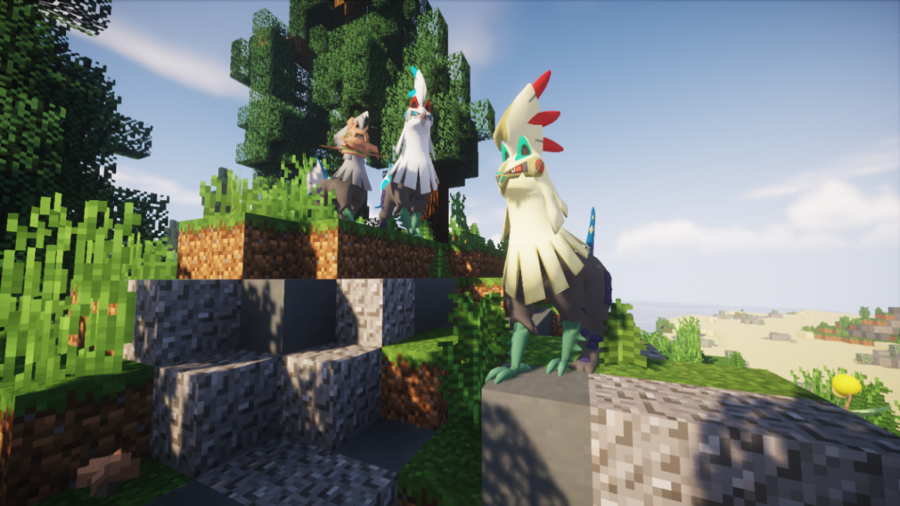
Перечисленные ниже команды доступны в подключаемом модуле Pixelmon под названием Even More Pixelmon Commands./checkevs <Pokémon name or number> [-c] Показывает список электромобилей, полученных от победы над указанным покемоном. /checkstats OR /cs [target] [slot] [-c] Показывает информацию и статистику покемонов партии. /checktypes OR /type <Pokémon name or number> [-c] Показывает список сопротивлений, слабостей, иммунитетов и способностей покемонов. /evenmorepixelmoncommands OR /empc Показывает доступные команды. /fixgenders [target] [-c] Принуждает покемонов к определенному полу. /partyhatch [target] [-c] Вылупляет всю группу игрока. /partyheal [target] [-c] Лечит всю группу игрока. /randomtm [target] [-a] Дает указанной цели случайную TM. /resetdex <target> [-c] Сбрасывает Покедекс указанного игрока до нуля. /resetevs <slot> [-c] Сбрасывает все электромобили покемонов до нуля. /showstats OR /show <slot> [-c] Показывает на сервере статистику покемона. /spawndex <Pokémon name or number> [-f|-o|-r|-s] [radius] Создает указанного покемона под курсором мыши. -f аргумент передает ложное сообщение о нересте. -o аргумент создать схему. -r аргумент появляется в случайном месте. -s аргумент делает спавн блестящим. /switchgender OR /bend <slot> [-c] Приводит покемонов к противоположному полу. /timedhatch [target] <slot> [-c] Вылупляет одного покемона. /timedheal [target] <slot> [-c] Лечит одного покемона. Это все команды, доступные в настоящее время в Pixelmon ! Когда будут добавлены новые команды, мы обновим этот список. Так что, если вы регулярно играете в Pixelmon , обязательно загляните сюда!
Как призвать покемона в моде pixelmon
Примечание: Синтаксис команд отображается в стандартном формате команд Minecraft.
/breed <player>
Эта команда попытается найти двух покемонов в команде выбранного игрока, которые могут размножаться, давая игроку яйцо, если пара найдена. Команда завершится ошибкой, если в команде игрока не будет совместимых пар.# Проверка спавна
/checkSpawns [specific | type]
Предоставляет список всех покемонов, которые могут появиться в текущем районе игрока в текущее время/погоду/и т.д., основанный на процентах вероятности. Если добавляется аргумент "specific", то появится список основанный только на блоке, на котором он стоит. Если указан тип, то будут показаны только покемоны этого типа.# Конец битвы
/endbattle [player]
Немедленно завершает бой, в котором находится игрок (если таковой имеется). Если аргумент player не указан, команда будет выполнена на игроке, который ее использовал.# Заморозка
/freeze
Заставит всех покемонов в мире перестать двигаться. Использование этой команды, когда она уже действует, позволит Покемону снова двигаться.# Выдача валюты
/givemoney <player> <amount>
Эта команда дает указанное количество покедолларов указанному игроку. Сумма также может быть отрицательной для удержания покедолларов у игрока.Выдача фото
Дает игроку фото. Предоставляемая фотография зависит от введенного аргумента; этот аргумент может быть в двух разных формах :- /givepixelsprite pixelmon:sprites/<pokemon | shinypokemon>/<Pokédex ID> : Дает игроку фотографию с изображением Покемона, соответствующего указанному номеру Покедекса. pokemon можно заменить на shinypokemon, чтобы создать фотографию, изображающую шайни покемона.
- /givepixelsprite <Pokémon>: Предоставляет игроку фотографию с изображением указанного Покемона.
Мега кольцо
/megaring <player> : Это даст выбранному игроку Мега Кольцо, используемое для Мега Эволюции Покемонов.Покебитва
/pokebattle <player 1> <player 2> : Эта команда инициирует битву между двумя разными игроками. Неважно, какой игрок ходит первым.Двойная покебитва
/pokebattle2 <player> <player | Pokémon> <player | Pokémon> <player | Pokémon | NPC Trainer> : Эта команда инициирует двойной бой, в котором первый и второй участники будут в одной команде, а третий и четвертый участники — в противоположной команде. Второй, третий и четвертый аргументы могут быть заменены именами покемонов, именами тренеров NPC илиrandom(для случайных покемонов), которые будут размещать управляемых компьютером союзников или противников в соответствующих местах. Эти покемоны будут иметь уровни, равные уровню самого высокого покемона в группе игрока, который использовал команду. Вместо этого можно использовать два аргумента (первый участник против второго участника) или три (первый участник против второго и третьего участника), чтобы изменить формат двойного боя.Выдача покемонов
/pokegive <player> <Pokémon | random> [arguments] : Эта команда напрямую помещает выбранного покемона в команду указанного игрока или в компьютер игрока, если команда игрока заполнена. Использование random вместо имени покемона приведет к выдаче случайного покемона. Если команда заполнена, он отправляется в компьютер игрока. Если игрок находится в битве, покемон будет отправлен в компьютер игрока независимо от того, есть ли у игрока пустые слоты в команде.Покехил
/pokeheal [player] : Эта команда исцелит покемонов указанного игрока или покемонов пользователя команды, если игрок не указан.Покеперезагрузка
/pokereload : Если внешние файлы JSON включены, эта команда перезагружает данные из внешних файлов JSON продавца и NPC без перезапуска сервера.Покесохранение
/pokesave < all | flush | player..> : Эта команда немедленно сохранит покемона указанного игрока в мире. Аргумент all может использоваться для сохранения покемонов каждого игрока в мире.Покеспавн
/pokespawn <Pokémon | random> [arguments] : Эта команда может заспавнить покемона по выбору игрока или случайного покемона, если вместо имени покемона используется «random».Покестатс
/pokestats <player> : Эта команда покажет, сколько раз игрок выигрывал и проигрывал сражения с другими игроками.Принтстор
/printstore : Эта команда будет записывать на консоль краткие описания всех загруженных в данный момент данных хранилища покемонов игрока. Для каждого игрока отображается следующая информация.- Имя игрока
- Открыт ли в данный момент у игрока графический интерфейс
- Онлайн ли игрок
- / psnapshot read <file name> : Загружает набор блоков, ранее сохраненных в файл с помощью / snapshot save.
- /psnapshot set: Устанавливает угол области для сохранения в месте расположения игрока. Если при использовании этой команды уже установлено два угла, угол, который был установлен первым, будет заменен новым углом.
- /psnapshot save : Сохраняет блоки в области, определенной двумя ранее заданными углами. Чтобы эта команда работала, уже должны быть установлены два угла. Если набор блоков уже был ранее сохранен, он будет перезаписан вновь сохраненным набором блоков.
/psnapshot save <file name> : Сохраняет блоки в области как в / snapshot save. Также сохраняет блоки в файл (с заданным именем) в папке «снимки» внутри папки Minecraft. Этот файл можно прочитать обратно в Minecraft с помощью аргумента load. - /psnapshot convert <file name> : Преобразует снимок, созданный в Minecraft 1.8.9 и ниже, в снимок, совместимый с Minecraft 1.10.2. Это создает новый файл моментального снимка с добавлением «-converted» к исходному имени файла.
/redeem trainerhat [<red> <green> <blue>] : Если у игрока есть связанная учетная запись Minecraft на сайте Pixelmon, дает игроку шляпу тренера; цвет шляпы может быть указан как красный / зеленый / синий значения от 0 до 255.
/redeem <slot> : Если пользователь этой команды имеет доступ к специальным текстурам Spectral Jeweler или Shadow Lugia и указывает номер партийного слота, содержащий Haunter или Lugia (соответственно), специальная текстура будет применена.
/redeem toggle hat : Переключает любую шляпу, которую может носить игрок.
/redeem toggle <sash | robe >: Переключает, будет ли видна кушак или мантия игрока.
/redeem toggle monocle : Переключает, отображается ли черный монокль игрока или золотой монокль.
Сброс покестатистики
/resetpokestats <player> : Эта команда сбрасывает отслеживаемые победы и поражения указанного игрока на 0.setparty
/setparty <level> [moves] : Эта команда навсегда установит уровни всех покемонов в группе игрока на указанный уровень. Добавление аргумента ходов предложит игроку выбрать до четырех ходов из ходов каждого покемона, повышающего уровень до указанного уровня.Наблюдение
/spectate [player] : Если аргумент игрока оставлен пустым, эта команда заставляет пользователя команды прекратить наблюдение за битвой, если игрок в данный момент наблюдает. В противном случае он начинает наблюдать за битвой, в которой находится указанный игрок. Команда ничего не делает, если указанный игрок не участвует в битве.Постройки
/struc : Создает случайную постройку рядом с игроком, если для нее есть место. Строения выбираются случайным образом для появления в зависимости от биома, в котором находится игрок./struc list : Все возможные постройки, которые могут быть созданы.
/struc <structure> [<level>] : Создает указанную постройку рядом с игроком, если достаточно места. Постройка будет создана независимо от того, появляется ли она в биоме. Аргумент постройки — это внутреннее имя соответствующей постройки. Аргумент level используется только при создании Гимов и определяет уровень NPC Тренеров внутри созданного Гима; отсутствие аргумента уровня приведет к тому, что в созданном Гиме будут находиться тренеры NPC-боссов "Equal".
teach
/teach [player] [position] <move> : Эта команда заставит Покемона в указанной позиции команды игрока попытаться изучить ход (будет предложено заменить атаку, если у Покемона уже есть четыре атаки). Это произойдет независимо от того, способен ли покемон выучить движение. Для ссылки на атаку можно использовать либо имя атаки (разрешены пробелы и без учета регистра), либо идентификатор атаки. Если аргумент опущен (см. Ниже), необходимо использовать подчеркивание вместо пробелов./teach [position] <move> : Это выполнит/teach игрока, использовавшего команду.
/teach <move> : Это приведет к выполнению /teach ведущего покемона игрока, который использовал команду.
transfer
/transfer <player> <amount> : Эта команда переводит указанное количество покедолларов от пользователя команды указанному игроку.unlock
/unlock <player> : Эта команда разблокирует любого покемона, принадлежащего указанному игроку, который заблокирован блоком ранчо, позволяя использовать их для других целей.warpplate
/warpplate set <x> <y> <z> : Это заставит варпплиту пластину, на которой стоит игрок, телепортироваться до указанных координат. Команда ничего не сделает, если игрок не стоит на платформе варпплиты.Permission nodes
Примечание: Чтобы предотвратить использование игроком определенной команды, отмените ее использование с помощью плагина разрешений, такого как LuckPerms.