Как кикать игрока в Mordhau?
Не все игроки действуют честно, играя в ту или иную игру, а Mordhau не является исключением — порой поступки отдельных личностей вынуждают других игроков их "кикать", то бишь отключать от своего матча. К сожалению, кикнуть игрока можно отнюдь не всегда, у вас для начала должны быть права администратора на сервере, где проходит матч, на обычных же серверах выбросить другого игрока не представляется возможным.
Если же вы — админ, для начала откройте консоль, куда затем вписывайте команды:
adminlogin (нужно для выполнения административных команд);
kick (потом нужно выбрать мешающего игрока и отключать его).
На собственном же сервере, чтобы кикнуть игрока в Mordhau, нужно ввести команду "ban".
Консольные коды (команды) для Mordhau
), то откроется консоль, через которую можно вводить следующие коды:
- adminlogin — активировать возможность ввода кодов;
- exit — полностью выйти из игры;
- changelevel — сменить карту;
- restartlevel — переиграть текущую карту;
- addbots — добавить ботов;
- removebots — убрать ботов;
- kick + ник игрока — выгнать из игры;
- ban + ник игрока — забанить;
- unban + ник игрока — разбанить;
- banlist — посмотреть всех забаненых игроков;
- disconnect — отсоединится от сервера;
- Stat FPS — отображать ФПС;
- PlayersOnly — сделать неподвижными ботов, вы при этом продолжаете ходить;
- ChangeSize x — чтобы изменить размер вашего персонажа, измените x на число от одного до ста;
- adminadd — добавить нового администратора;
- removeadmin + ник администратора — удалить администратора;
- adminlist — посмотреть список всех администраторов;
- m.ShowCrosshair 0 — убрать прицел.
Если знаете другие команды для Mordhau, то расскажите о них в комментариях.
How to Vote Kick Players in Mordhau the Easy Way
With the proper console commands you can start a vote to kick any team killers or troll players who just aren’t playing nice.
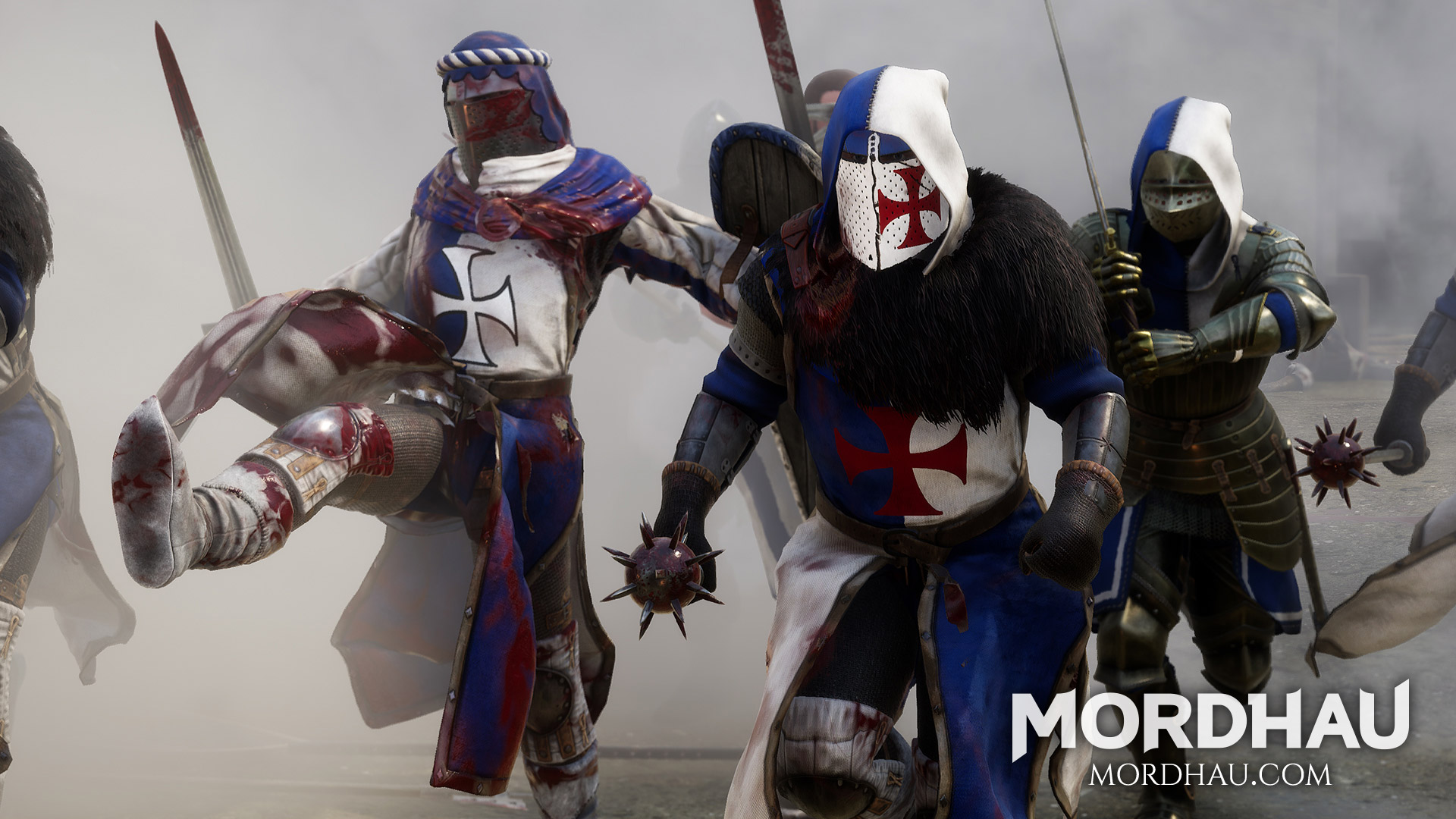
Amidst all the hacking, slash, and throwing fun to be had in Mordhau there will always be that handful of trolls, team killers, and people who just have to interrupt duels.
Want to get rid of them the easy way by having your team vote to boot them from the game? “Easy” is a bit of a relative term here, as at the moment there isn’t a button or menu option to start a vote to kick a player.
Instead, you need to bring up the game’s console screen, then type in a command to initiate the vote kick process, but it’s not too hard once you know where to look.
How To Vote Kick In Mordhau
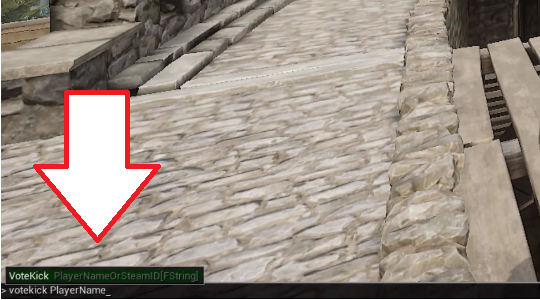 Vote kicking with the console
There is a way to make this process simpler by first binding the console command to whatever key you want, like F1 or the tilde (
) key, which is traditional for most games.
On your computer, open up whatever drive has your Steam game installation files (such as C:), then navigate to the file path SteamsteamappscommonMordhauMordhauConfig.
Right click the defaultinput.ini file in the Config folder and open it with a text editor featuring no formatting, such as Notepad. From there, you can bind the open console feature to whatever key you want to use by typing that key into the text field.
With the key binding done, whenever you want to boot a player, just tap the console key and then type votekick playername and hit Enter to force a vote on kicking that player (note that once you start typing “vote” it should pop up an auto fill to show you the proper command).
Here’s where it gets annoying.
Unfortunately at this time, you have to type the player’s name EXACTLY as it is displayed, including upper and lower case and any symbols or weird characters.
To avoid that issue, you can use the player number instead, but that adds another layer of complexity the will have you sifting through a list while trying to avoid getting killed. To find the player’s number, open the console, type playerlist and then hit Enter.
From there you can find the number associated with the player’s name, and just use that number instead of the name to start a vote kick. Note that you don’t need the huge string of numbers to the immediate left of the name, which would be even harder to type in the heat of a battle than a full name. You just need the first number at the far left of the list, like 1, 2, 3, etc.
Once a vote kick is initiated, tap Page Up to confirm the vote or Page Down to vote against kicking the player.
Reducing Your Chances Of Getting Vote Kicked
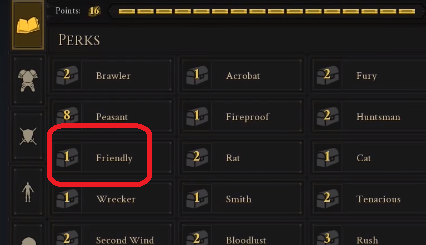 This perk is more useful than it seems
Want to avoid getting vote kicked now that the secret is out and people have figured out how to start the process? Obviously some groups of friends who just want to play together are going to inevitably abuse the system, but there are some clear ways to avoid getting legitimately voted out of a game.
Taking more careful aim and waiting to let loose with a projectile to make sure no team mates are about to rush past you are a must, obviously, but even the most careful player will eventually hit someone on their side of the battle.
We strongly recommend taking the Friendly perk, which reduces damage dealt to team mates by 50%. With how often players get hit my friendly fire — whether its an arrow, flying frying pan, or axe swing — this perk is well worth the 1 point cost.
Have any other tips on being a good team mate and avoiding injuring your own group? Leave us your strategy in the comments below, and be sure to check out our other Mordhau guides here:
- How To Throw Weapons
About the author
Ty Arthur
Ty splits his time between writing horror fiction and writing about video games. After 25 years of gaming, Ty can firmly say that gaming peaked with Planescape Torment, but that doesn't mean he doesn't have a soft spot for games like Baldur's Gate, Fallout: New Vegas, Bioshock Infinite, and Horizon: Zero Dawn. He has previously written for GamerU and MetalUnderground. He also writes for PortalMonkey covering gaming laptops and peripherals.
Mordhau: как проголосовать
Mordhau превратилась в довольно популярную игру с момента ее выпуска в конце апреля. Многопользовательская игра, Battle Royale, средневековый хак и слэш-игра попадают в нишу, которая еще не была полностью исследована. Тем не менее, это не всегда будет весело и игры. Иногда гриферам или людям с ужасными связями приходится уходить. Вот как можно проголосовать за игрока в Мордхау за ПК и Steam.
Как проголосовать Kick a Player в Мордхау
Голосование в Мордхау не совсем удобно на данный момент. Для его запуска требуется немного знаний работы с консольными командами.
Это то, что разработчики Triternion могли бы в конечном итоге улучшить в будущем, но сейчас вам придется просто поработать с тем, что дает вам игра.
Сначала вам нужно будет установить привязку клавиш, поскольку в игре нет опции по умолчанию, которую вы можете просто нажимать, пока не сделаете это.
Перейдите в Steam \ steamapps \ common \ Mordhau \ Mordhau \ Config и затем defaultinput.ini. Оттуда вы можете привязать ключ голосования к тому, что вы хотите. Теперь он установлен, когда вы хотите начать голосование в Мордхау.
Когда придет время, нажмите клавишу
, чтобы открыть консольные команды, и введите voicekick «имя игрока». Затем люди могут использовать Page Up и Page Down, чтобы голосовать за / против.
Вместо этого используйте номер списка игроков
Теперь имейте в виду, вы должны получить имя игрока идеальный персонаж для персонажа, чтобы проголосовать удар в Мордхау. Если они используют какой-то странный символ, к которому у вас нет доступа на клавиатуре, это не сработает.
Вместо этого вам нужно будет найти список игроков и ввести правильный номер. Каждому игроку в Мордхау присваивается номер, а не вводится правильное имя, вместо этого можно просто указать номер игрока. Вот как это сделать.
Сначала снова откройте консольную команду с помощью
и введите playerlist. Все в вестибюле будут выплюнут. Найдите имя человека, за которого вы хотите проголосовать, и запишите номер игрока по имени.
Следуйте точно таким же инструкциям для избиения голосов в Мордхау, приведенном выше, но вместо «имени игрока» поставьте номер игрока после команды voicekick.
Это все, что вам нужно знать, чтобы проголосовать за игрока в Мордхау . Чтобы получить дополнительные советы, хитрости и ответы на часто задаваемые вопросы об этой последней средневековой тематической игре Battle Royale, найдите Twinfinite прямо здесь.